Everyone talks about cutting costs in creative agencies. Usually, that means trimming headcount, cutting software subscriptions, or squeezing vendor rates. It’s all surface-level stuff.
None of that is wrong. But it’s incomplete.
The real cost bleed isn't in your overhead. It’s buried in your workflow. Specifically, it’s in the messy, ambiguous, and often undocumented handoffs between teams and clients.
This is where good design documentation becomes a profit center, not just a compliance checkbox.
1. The Myth of the "Quick Chat"
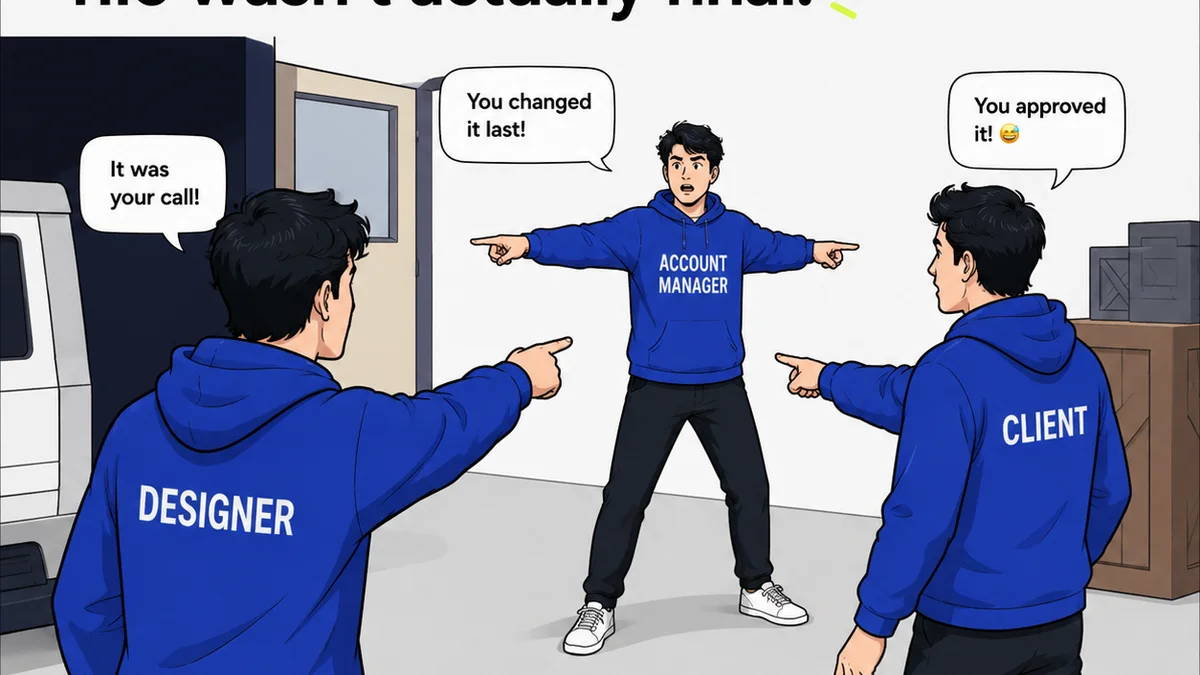
We all hear it: "Just hop on a quick call." "It's easier to just explain it." "We'll sort it out in revisions." This casual approach feels efficient in the moment. It feels agile.
But what’s the real cost of these "quick chats"?
- Endless back-and-forth emails trying to recall what was agreed.
- Misinterpretations that lead to wasted design hours.
- Scope creep disguised as "clarifications."
- Client frustration when the final output doesn't match their fuzzy memory of a conversation.
- Team members wasting time chasing down lost context.
This isn't efficiency. It's chaos disguised as collaboration.
The Hard Truth: Ambiguity is Expensive
Every moment a designer, developer, or project manager spends trying to decipher vague feedback or recall a forgotten detail is a moment they aren't billing a client or advancing a project. This lost time adds up. Fast.
Think about it: a single hour of a senior designer's time might cost the agency $100 in direct wages and overhead. If you burn 5 hours a week across your team deciphering vague feedback, that's $500. Multiply that by 50 weeks, and you're looking at $25,000 a year. Per team. This isn't an exaggeration.
2. What "Good" Design Documentation Actually Looks Like
Forget dense, jargon-filled spec sheets that nobody reads. Good documentation is clear, concise, and actionable. It’s a living record, not a tombstone.
It’s about capturing the *why* and the *what*, not just the *how*.
Key Components of Effective Documentation
What needs to be documented? It depends on the project phase, but here are the essentials:
- Client Brief & Objectives: Not just a list of deliverables, but the business problem the design is meant to solve. What does success look like for the client?
- User Flows & Wireframes: Visual representations of the user journey and basic layout. These are blueprints.
- Content Strategy & Key Messaging: What needs to be communicated, and how? Approved copy, tone of voice guidelines.
- Visual Design Direction: Mood boards, style guides, approved color palettes, typography, and key UI elements.
- Functional Specifications: For digital projects, detailing interactive states, animations, and specific technical requirements.
- Feedback & Approval Records: A clear, chronological log of all client feedback, discussions, and sign-offs. This is critical.
The Documentation Sweet Spot
The goal isn't to document everything under the sun. It's to document what matters. What prevents confusion? What ensures alignment? What protects your team from wasted effort?
Focus on the critical decision points and the information needed to execute them correctly. If a piece of information, if misunderstood, could lead to significant rework, document it clearly.
3. Integrating Documentation into Your Workflow
Documentation shouldn't be an afterthought. It needs to be baked into your process from the very first client meeting.
Phase-by-Phase Integration
- Discovery: Document the problem statement, target audience, business goals, and initial client requirements.
- Strategy & Concept: Document the chosen strategic approach, user personas, and key messaging pillars.
- Design: Document design decisions, rationale, style guides, and wireframes/mockups.
- Development: Document functional specifications, interactive prototypes, and technical constraints.
- Launch & Beyond: Document post-launch performance metrics and ongoing maintenance plans.
Each stage builds on the last, creating a clear lineage of decisions.
Making it Easy (Not a Chore)
Nobody wants to fill out endless forms. The best documentation tools are integrated into the tools your team already uses. Think about:
- Using your project management tool for task-level requirements.
- Leveraging a dedicated feedback platform for visual annotations and approvals.
- Keeping a shared, easily searchable knowledge base for brand guidelines and strategy documents.
The easier it is to document, the more likely your team is to do it.
4. The ROI of Clarity: Reduced Rework, Faster Approvals
Let's talk numbers. What happens when you get documentation right?
Fewer Revisions, Happier Clients
When feedback is captured clearly, with context and specific references, revisions become surgical. No more "make it pop" or "I don't like the blue." You get actionable requests that can be addressed efficiently.
This means less time spent on unnecessary changes, and more time spent on delivering value. Clients see this. They appreciate it. It builds trust.
Streamlined Handoffs
Imagine handing off a project to development. Instead of a chaotic folder of disparate files and a vague email, they get a clear set of specifications, linked assets, and a documented trail of client approvals. This drastically reduces the back-and-forth between design and development.
Developers can build with confidence, knowing exactly what's expected. This speeds up development cycles and reduces costly errors.
Mitigating Scope Creep
Clear documentation acts as a contract. It defines what was agreed upon. When a client asks for something outside the documented scope, you have a reference point. It's not about being difficult; it's about protecting your profitability and your team's time.
A documented agreement makes discussing scope changes a business conversation, not an argument.
Where Revue Fits In
The core challenge with documentation is keeping it centralized, accessible, and actionable throughout the project lifecycle. This is exactly where Revue excels.
Revue provides a single source of truth for client feedback. Instead of scattered emails, Slack messages, or scribbled notes, all client input is organized against specific creative assets. This means:
- Centralized Feedback: All comments, annotations, and discussions live in one place, linked directly to the version of the design being reviewed. No more hunting for that one crucial email.
- Clear Revision History: Track every iteration, every piece of feedback, and every approval. This provides an irrefutable audit trail and context for why decisions were made.
- Streamlined Approvals: Formal sign-offs become clear and documented, removing ambiguity about when a client is happy. This prevents revisiting decisions already made.
- Quality Assurance: With a clear record of requirements and feedback, your team can perform more effective quality checks, ensuring the final output aligns with the documented brief and approvals.
By bringing structure to client collaboration and feedback, Revue helps turn what's often a chaotic, costly process into a streamlined, transparent, and ultimately more profitable operation.
Final Thought
Are you treating documentation as a bureaucratic burden, or as a strategic asset that directly impacts your bottom line? The answer might be costing you more than you think.
Frequently asked questions
What is the biggest cost associated with poor design documentation?
The biggest cost is wasted time. This includes time spent deciphering vague feedback, correcting misunderstandings, chasing down lost context, and unnecessary revisions, all of which directly impact your team's billable hours and project profitability.
How can documentation reduce scope creep?
Clear, documented agreements on project scope, deliverables, and client objectives act as a reference point. When new requests arise, they can be easily compared against the documented agreement, facilitating a professional discussion about scope changes and their impact, rather than an argument.
What are the essential components of good design documentation?
Essential components include documented client objectives and business problems, user flows and wireframes, content strategy and key messaging, visual design direction (style guides, palettes), functional specifications for digital projects, and a clear, chronological record of all client feedback and approvals.
How does a tool like Revue help with design documentation?
Revue centralizes all client feedback and approvals against specific creative assets, creating a clear, accessible, and actionable record. This eliminates scattered communication, provides an audit trail, streamlines the approval process, and aids in quality assurance by ensuring alignment with documented requirements.