Everyone’s complaining about Figma costs. It’s easy to point fingers at subscription hikes and per-seat pricing. You think, “If only we had a cheaper tool, or fewer seats, our problems would vanish.”
None of that is wrong. But it’s incomplete.
The real cost of Figma isn't just the invoice. It’s the wasted hours, the duplicated effort, the endless back-and-forth, and the sheer drag on your team's productivity. That’s where the real money is bleeding out.
The hard truth? Your Figma workflow, not just your seat count, is costing you a fortune.
1. The Illusion of Unlimited Collaboration
Figma’s magic is its real-time, cloud-based collaboration. It’s brilliant. But it can also be a siren song, luring teams into a state of perpetual, unfocused “collaboration.”
Think about it. How many times have you seen files become a chaotic mess of uncommented suggestions, random artboards, and experimental ideas that never went anywhere? Everyone’s in the file, all the time, but is anyone actually *moving forward*?
The 'Everyone's Invited' Trap
When access is easy and cheap, the default is often to give everyone a seat. Clients. Marketing. Sales. Even your intern’s cousin who “has a good eye.”
- Unnecessary stakeholders muddying the waters.
- Designers constantly interrupted by tangential feedback.
- Files bloated with irrelevant iterations.
- Difficulty tracking who *actually* needs to weigh in.
This isn’t collaboration; it’s noise. And noise costs time, which costs money.
The Cost of 'Just In Case' Seats
You pay for seats you don't actively use. Maybe it's for a freelancer who’s only on a project for a week. Or a client who *might* need to pop in. Or a manager who “just needs to see the latest.”
That per-seat cost adds up. Fast. Especially when you multiply it by dozens of people who only need to *view* or *comment* occasionally, not actively design.
2. The Feedback Free-for-All
Figma’s commenting system is great for quick notes. But without structure, it devolves into a disaster zone.
Imagine a complex UI project with hundreds of comments scattered across dozens of screens. Some are resolved, some are ignored, some are duplicates. Good luck figuring out the actual, actionable feedback.
Comment Chaos is Costly
Designers end up spending hours:
- Sifting through irrelevant comments.
- Trying to decipher vague or conflicting feedback.
- Manually tracking which comments have been addressed.
- Chasing down stakeholders for clarification.
- Revisiting already-resolved issues because feedback wasn't properly managed.
This isn't a minor annoyance. It's a significant drain on billable hours. Every minute spent deciphering a messy comment thread is a minute not spent designing, strategizing, or client-facing.
The 'Blind Trust' Fallacy
Many teams assume that because feedback is *in* Figma, it's automatically clear and actionable. They trust that designers will magically sort through the noise.
This is a dangerous assumption. Feedback needs context. It needs to be organized. It needs to be prioritized. Without that, you're relying on guesswork, which leads to revisions, rework, and ultimately, higher project costs.
3. The Revision Black Hole
Figma’s version history is powerful. But it’s not a silver bullet for managing revisions. It tracks file changes, not necessarily *approved* changes or the *reasons* behind them.
How many times have you gone back to a previous version only to find it’s a jumble of iterations that were never formally signed off on?
Uncontrolled Revisions = Uncontrolled Costs
When revisions aren't properly managed, you create a breeding ground for:
- Endless scope creep.
- Redundant design work.
- Client frustration when they see changes they didn't ask for (or thought were final).
- Disputes over what was agreed upon.
- Missed deadlines because of unplanned revisions.
Each uncontrolled revision cycle is an unplanned expense. It eats into your margins and erodes client trust.
The 'Just Make Another Version' Mentality
It’s too easy to say, “Just create another version” in Figma. But each version represents time, effort, and potential cost. If these versions aren’t tied to clear approval gates, you’re essentially building a graveyard of wasted work.
4. The Quality Check Conundrum
How do you ensure the final output matches the brief and client expectations when feedback and revisions are scattered across multiple platforms and conversations?
Many teams rely on a quick final review within Figma itself. But by then, it's often too late to catch fundamental issues without significant rework.
The Cost of Inconsistent Quality
Poor quality control leads to:
- Final deliverables that miss the mark, requiring costly re-dos.
- Damaged agency reputation.
- Unhappy clients who question your process.
- Wasted production time trying to fix things last minute.
The assumption is that the design tool itself should facilitate quality. But design tools are for *creating*. Ensuring quality and adherence to client needs is a separate, crucial process.
Where Revue Fits In
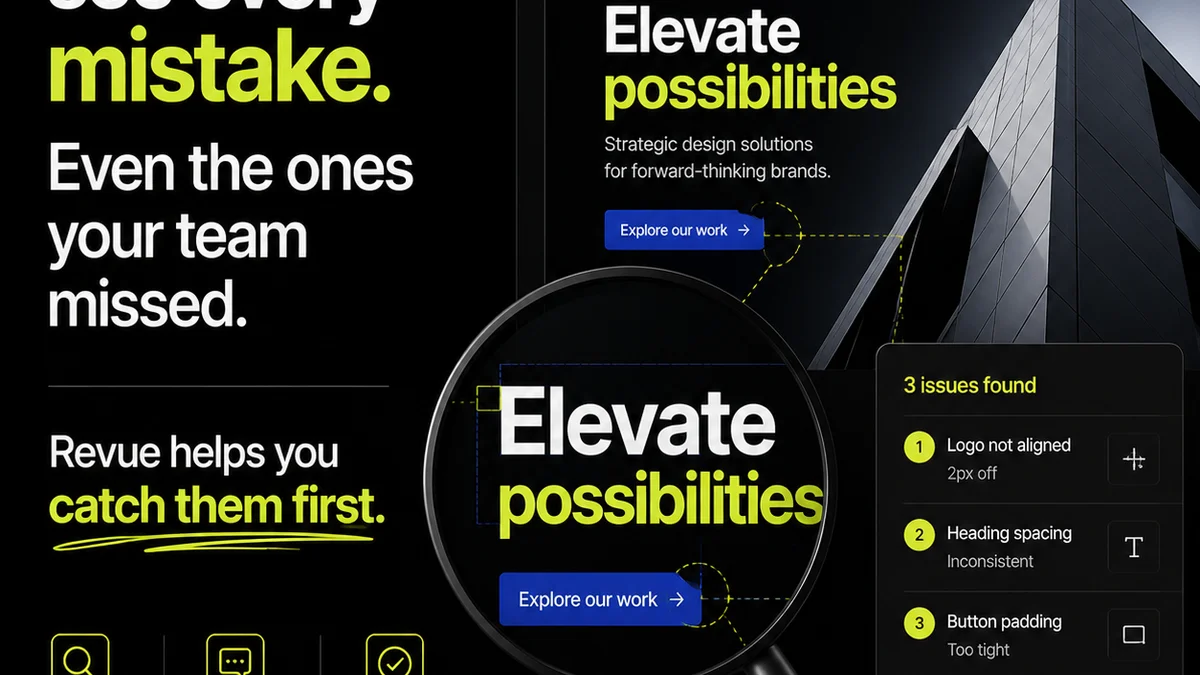
This is where a centralized feedback and approval platform like Revue becomes essential. It's not about replacing Figma; it's about orchestrating the process *around* Figma.
Revue acts as the single source of truth for client feedback and approvals, streamlining the entire creative lifecycle:
- Centralized Feedback: Consolidate all client comments, questions, and approvals in one place, linked directly to the relevant design assets. No more hunting through email threads, Slack messages, or scattered Figma comments.
- Clear Revision Tracking: Manage design revisions with clear version control and approval workflows. Stakeholders approve specific versions, eliminating ambiguity and preventing scope creep.
- Streamlined Approvals: Define clear approval stages. Designers know exactly when a design is final, and clients know precisely what they are approving. This drastically reduces the chances of costly misunderstandings.
- Quality Assurance Gates: Implement structured quality checks before final delivery. Ensure designs meet all requirements, brand guidelines, and client expectations, catching issues *before* they become expensive problems.
By bringing structure to the chaos, Revue helps you reduce the *real* costs associated with your Figma workflow: the wasted time, the rework, and the client friction.
Final Thought
Are you truly optimizing your Figma investment, or are you just paying for a shiny tool while your workflow bleeds money? The difference between a cost center and a value driver often lies not in the software itself, but in the clarity and control of the process surrounding it.
Frequently asked questions
How can I reduce the number of Figma seats I need?
Instead of giving everyone a paid seat, leverage a centralized platform like Revue for client feedback and approvals. Use Figma's free 'View-only' or 'Commenter' roles strategically, and use your paid seats only for active designers. This ensures only those actively working on designs occupy expensive seats.
What's the biggest hidden cost of using Figma?
The biggest hidden cost is often wasted time due to disorganized feedback, unclear revisions, and endless back-and-forth. These operational inefficiencies drain billable hours and lead to rework, far outweighing the per-seat subscription fees.
How can I make Figma feedback more actionable?
Centralize feedback outside of scattered Figma comments. Use a tool that allows for structured commenting, clear version tracking, and definitive approval stages. This provides context, prioritizes feedback, and ensures designers are working on what's truly required.
Is Figma's version history enough for managing revisions?
Figma's version history tracks file changes, but it doesn't inherently manage the *approval* process or the *reasons* for revisions. Without a clear system for sign-offs on specific versions, you can end up with a chaotic history of unapproved iterations, leading to scope creep and wasted work.