Everyone thinks remote creative operations software is about video calls and chat apps. That’s not wrong. But it’s incomplete.
The real challenge isn’t *connecting* your team; it’s managing the *flow* of creative work and client feedback when you’re not in the same room. The hard truth? Your current toolset is probably slowing you down.
1. Centralized Feedback: The Single Source of Truth
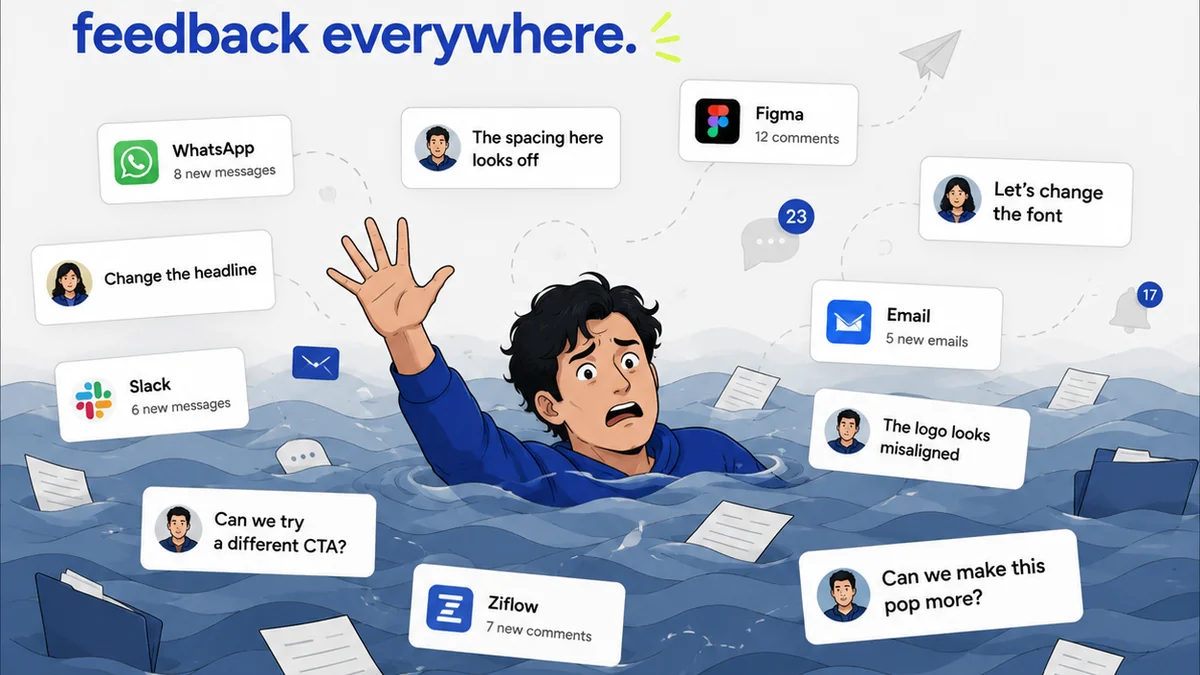
Scattered feedback is the silent killer of creative projects. Emails, Slack messages, random documents – trying to piece it all together is a nightmare. Your remote creative operations software must eliminate this chaos.
The Problem with Dispersed Feedback
- Endless searching through email threads.
- Missed comments buried in chat logs.
- Version control headaches because you can’t track revisions.
- Clients sending feedback to the wrong person.
- Wasted hours just trying to get clarity.
This isn't just annoying; it directly impacts project timelines and profitability. Every minute spent searching or clarifying is a minute not spent creating.
What to Look For
Your ideal software provides a single, unified space for all client feedback. This means:
- Direct Annotation: The ability to comment and mark up directly on creative assets (images, videos, PDFs, web pages).
- Version Tracking: Clear visibility into each revision, showing what changed and when.
- Consolidated Comments: All feedback, from all stakeholders, in one place, linked to specific assets and versions.
- Real-time Updates: Notifications and clear indicators when new feedback arrives.
- Role-Based Access: Ensuring clients and team members see only what they need to.
Think of it as a digital whiteboard and project room combined. No more screenshots of comments, no more confusing spreadsheets. Just clear, actionable feedback right where it belongs.
2. Revision and Approval Workflows: From Concept to Completion
Creative approvals are where projects often get stuck. Remote teams need workflows that make this process smooth, transparent, and auditable.
The Bottleneck of Approvals
Without structured workflows, approvals become informal, leading to:
- Unclear sign-off points.
Frequently asked questions
What is the main benefit of using remote creative operations software?
The primary benefit is streamlining the flow of creative work and feedback for remote teams, eliminating chaos and reducing wasted time spent searching for information or clarifying comments.
Why is centralized feedback so important for creative agencies?
Centralized feedback prevents missed comments, version control issues, and confusion that arises from scattered communication channels like email and chat. It ensures everyone is working from the same, clear set of instructions.
How does software help with creative approvals remotely?
It provides structured workflows, clear sign-off points, and an auditable trail of decisions, making the approval process transparent and efficient, preventing projects from getting stuck.
What should I look for in a remote creative operations tool?
Key features include direct asset annotation, version tracking, consolidated comments, real-time updates, customizable workflows, and robust reporting and analytics capabilities.