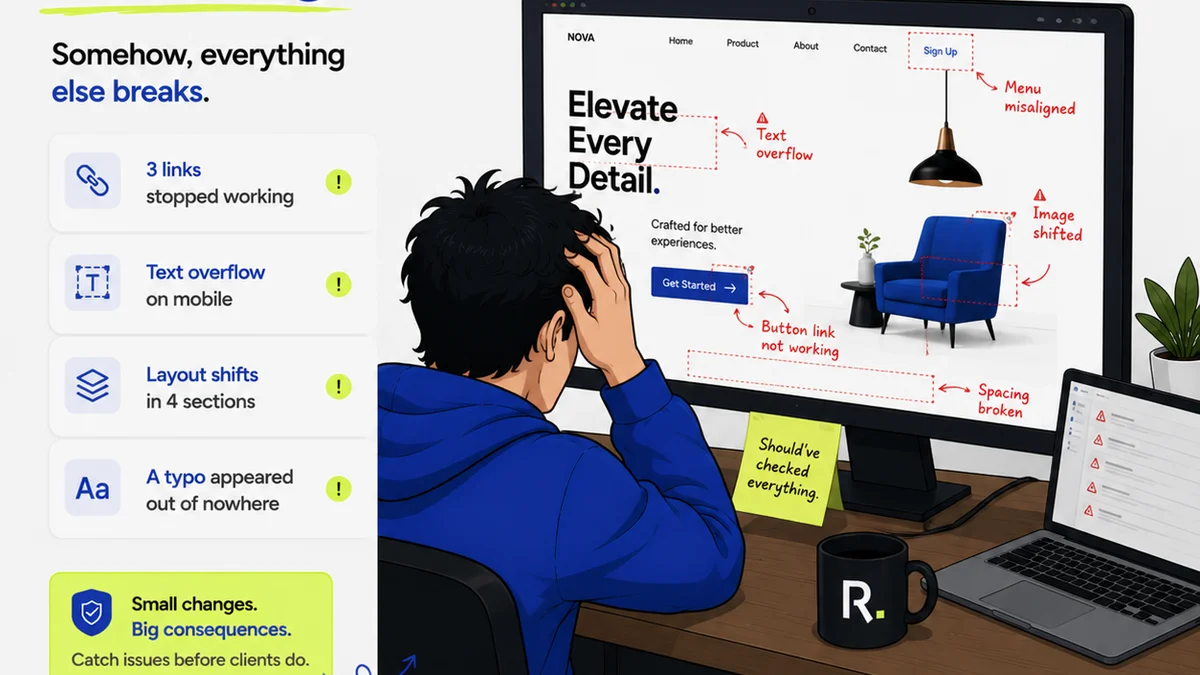
Everyone knows responsive design means your website looks good on any screen. That’s the assumption, anyway. And it’s not wrong. But it’s incomplete.
The hard truth is, true responsive design testing goes way beyond just checking a few browser widths on your desktop. It’s about simulating the chaotic reality of how people actually *use* their devices.
1. The Illusion of Control: Desktop Emulators
Your browser’s developer tools are fantastic for quick checks. You can resize your window, pick a few preset device dimensions, and see how your layout shifts. It’s efficient. It’s easy.
It’s also a lie.
These emulators give you a false sense of security. They simulate screen size, sure. But they can’t replicate the unpredictable variables that define real-world mobile and tablet usage.
What Emulators Miss
- Actual network conditions (slow 3G, spotty Wi-Fi)
- Touch interactions vs. mouse clicks
- Device orientation changes (portrait vs. landscape)
- User context (distractions, on-the-go usage)
- Performance on lower-spec hardware
Relying solely on these tools means you’re designing for a sterile lab, not the messy streets, crowded trains, and busy offices where your users live.
2. The Fragmentation Problem: Real Devices Are Key
The sheer variety of devices out there is staggering. Every manufacturer, every OS version, every screen size presents a unique challenge.
You can’t possibly test on every single device. No agency can. But you can’t ignore the problem either.
This fragmentation means a design that looks perfect on an iPhone 15 Pro might break spectacularly on a budget Android device from two years ago, or a tablet with a different aspect ratio.
Testing Strategy Essentials
- Prioritize Key Segments: Identify the devices and operating systems most relevant to your target audience. Focus your efforts there.
- Device Labs (Virtual or Physical): Invest in a curated set of physical devices. If that’s not feasible, explore cloud-based device testing platforms.
- Cross-Browser & Cross-OS Testing: Ensure your site functions consistently across major browsers (Chrome, Safari, Firefox, Edge) and operating systems (iOS, Android, Windows).
The goal isn’t 100% coverage, it’s strategic coverage that mitigates the biggest risks.
3. User Behavior Isn't Static
How people interact with their devices changes constantly. Think about it.
One minute they’re scrolling through Instagram on their phone while standing in line. The next, they’re researching a product on a tablet while sitting on the couch. Later, they might be quickly checking directions on their watch.
Your website needs to adapt not just to the screen, but to the *moment*.
Contextual Testing Scenarios
- One-Handed Use: Can crucial buttons and navigation be easily reached with a thumb?
- Interrupted Usage: What happens if a call comes in or the user switches apps mid-task? Does the state persist?
- Varying Lighting Conditions: Is text legible in bright sunlight or low light? (This is harder to test, but consider contrast ratios.)
- Gestural Navigation: Are swipe gestures intuitive and functional where expected?
These aren't edge cases; they are common user behaviors that impact usability and satisfaction.
4. Performance is a Feature, Not an Afterthought
A beautiful, responsive design that loads slower than molasses is useless. Especially on mobile, where users are less patient and often on slower connections.
Performance testing is a critical part of responsive design testing. It’s not just about how it *looks*, but how it *performs*.
Performance Bottlenecks to Watch For
- Image Optimization: Are images properly sized and compressed for different resolutions? Are modern formats like WebP being used?
- JavaScript Execution: Is heavy JS blocking the main thread, delaying rendering and interaction?
- Third-Party Scripts: Are analytics, ads, or widgets slowing down the page load?
- Server Response Time: Is your hosting adequate?
Tools like Google PageSpeed Insights and WebPageTest are invaluable here. But again, test on *real* devices and simulated network conditions for the most accurate picture.
5. Accessibility: The Unseen Layer of Responsiveness
Responsive design isn't just about fitting content onto different screens. It's about making that content accessible to everyone.
When you adjust layouts, font sizes, and interactive elements for different devices, you must ensure you’re not inadvertently creating barriers for users with disabilities.
Accessibility Considerations
- Keyboard Navigation: Can all interactive elements be reached and operated using only a keyboard? Is the focus order logical?
- Screen Reader Compatibility: Are all elements properly labeled? Does the responsive layout make sense when read aloud?
- Color Contrast: Does sufficient contrast exist between text and background, especially as layouts adapt?
- Resizable Text: Can users increase font size without breaking the layout or losing content?
Thinking about accessibility from the start, and testing it throughout the responsive design process, ensures a more inclusive experience for all users.
Where Revue Fits In
Managing the complexities of responsive design and client feedback can quickly become a tangled mess. Endless email chains, scattered files, and conflicting revision requests are the norm.
Revue is built to cut through that chaos. It provides a single source of truth for all creative feedback, revisions, and approvals.
Imagine this:
- Centralized Feedback: All client comments, from any stakeholder, are logged directly against the specific creative asset within Revue. No more hunting through emails.
- Revision Visibility: Track every iteration of a design. See exactly what changed, who requested it, and when. This clarity is crucial when validating responsive adjustments.
- Streamlined Approvals: Get clear sign-offs on specific versions. Understand precisely what has been approved, reducing ambiguity and scope creep, especially when testing across multiple breakpoints.
- Quality Assurance: Use the structured feedback and approval history to perform final quality checks, ensuring all responsive requirements have been met before launch.
By bringing structure to feedback and approvals, Revue helps ensure your meticulously tested responsive designs actually make it to launch without getting lost in translation.
Final Thought
Responsive design is more than just a technical requirement; it’s a commitment to user experience in a multi-device world. Are you truly testing for that world, or just the one on your desk?
Frequently asked questions
What's the biggest flaw with browser emulators for responsive testing?
Browser emulators primarily test layout responsiveness based on screen size. They fail to replicate real-world conditions like variable network speeds, touch interactions, device orientation changes, and performance on lower-spec hardware, giving a false sense of security.
How can I effectively test responsive design on a limited budget?
Prioritize testing on a curated selection of the most popular devices and operating systems used by your target audience. Utilize cloud-based device testing platforms for broader coverage if a physical device lab isn't feasible. Focus on key user flows and critical breakpoints.
Why is performance testing crucial for responsive design?
Users on mobile devices often have less patience and are on slower connections. A visually responsive site that loads slowly will lead to a poor user experience and high bounce rates. Performance is a key aspect of usability across all devices.
How does accessibility relate to responsive design testing?
As layouts and elements change across screen sizes, it's vital to ensure the design remains accessible. This includes checking keyboard navigation, screen reader compatibility, color contrast, and ensuring text can be resized without breaking the layout, making the experience inclusive for all users.