You think reviewing a high-volume creative campaign is all about speed. About getting through the sheer number of assets as quickly as possible. Faster turnaround, right?
None of that is wrong. But it’s incomplete.
The hard truth? Efficiency isn't just about speed. It's about clarity, context, and control. Without them, speed just means you’re making mistakes faster.
1. The Myth of the 'Quick Glance'
We’ve all done it. Skim through a dozen social posts, a few banner ads, maybe a short video. The client needs feedback *yesterday*. So you click, you glance, you type a quick note: 'Looks good.' Or maybe, 'Minor tweak needed.'
This is where high-volume campaigns go off the rails.
A 'quick glance' is rarely enough for true creative review. Especially when dozens, or hundreds, of assets need to align with a single campaign message, brand guideline, or strategic goal.
The Hidden Costs of Superficial Reviews
- Inconsistent Messaging: One ad might hit the mark, but another subtly misses the core campaign theme.
- Brand Drift: Small deviations in tone, color, or typography across assets erode brand consistency.
- Missed Errors: Typos, broken links, incorrect product details – these are easily overlooked when you're rushing.
- Scope Creep: Vague feedback like 'make it pop more' leads to endless, unproductive revisions.
- Client Frustration: They see inconsistencies or errors you missed, leading to distrust and more back-and-forth.
It feels faster in the moment. But the rework and the potential damage to the client's brand? That’s the real cost.
2. Establish Your Review Framework BEFORE You Start
Before the first asset lands in your inbox or review tool, you need a plan. A high-volume campaign isn't a single piece of work; it's a system.
Your review process needs to be a system, too.
Define Your Gates
What are the critical checkpoints for this campaign? Not just 'client approves,' but internal checks.
- Concept/Strategy Alignment: Does this asset ladder up to the core campaign idea?
- Brand Guideline Adherence: Is it on-brand (colors, fonts, logo usage, tone)?
- Technical Specs Compliance: Does it meet platform requirements (file size, resolution, format)?
- Call to Action (CTA) Accuracy: Is the CTA clear, correct, and linked properly?
- Legal/Compliance Check: Are all disclaimers, terms, and necessary legal copy present and accurate?
These aren't optional steps. They're the foundation of an efficient review.
Assign Clear Roles and Responsibilities
Who is responsible for what? In a high-volume scenario, you can't have everyone weighing in on everything. This leads to conflicting feedback and delays.
- Primary Reviewer: The person who makes the initial pass and ensures the asset meets the core brief.
- Brand Guardian: The person who specifically checks for brand consistency and tone.
- Technical Specialist: The person who verifies file specs, links, and functionality.
- Legal/Compliance Officer: The person who signs off on regulatory requirements.
- Final Approver: The person (often a senior stakeholder or the client) who gives the ultimate go-ahead.
Document this. Make it visible. Everyone needs to know who owns which part of the review.
3. Batching and Prioritization: The Unsung Heroes
Trying to review assets one by one as they come in is a recipe for chaos. You’re constantly context-switching, and your focus gets fragmented.
The solution? Batching.
Group Similar Assets
Instead of reviewing a random mix of social posts, display ads, and email banners, group them by type or by platform.
- All Instagram Stories together.
- All Google Display Network banners together.
- All variations of a core email template together.
This allows you to get into a rhythm. You understand the specific requirements for that batch, and your brain doesn't have to re-learn the context for every single asset.
Prioritize Based on Impact and Dependency
Not all assets are created equal. Some are critical launch assets, others are supporting players. Some assets might be dependent on others being approved first.
- Launch-Critical Assets: These need to be reviewed and approved first. Think hero banners, the main social announcement post.
- High-Traffic Placements: Assets that will be seen by the most people should get priority.
- Dependent Assets: If a set of social posts all use the same core visual, review that visual first.
A simple matrix or a clear labeling system can help here. Don't just review what's newest; review what's most important or what unblocks other work.
4. Context is King: Making Feedback Actionable
Vague feedback is the enemy of efficiency. 'Needs more energy' tells no one what to do. 'Make the headline bigger' is slightly better, but still lacks context.
High-volume campaigns demand precise, contextual feedback.
Leverage Annotation Tools
Don't rely on email threads or Slack messages for feedback. Use tools that allow you to comment directly on the asset. Point to a specific element, draw a box around an area, or highlight text.
This visual context is invaluable.
Include the 'Why'
When giving feedback, briefly explain the reasoning behind it.
- Instead of: 'Change this headline.'
- Try: 'This headline is too long for the banner's aspect ratio and doesn't clearly state the offer. Let's shorten it to focus on [key benefit].'
This educates the reviewer and the creator, leading to better work and fewer follow-up questions. It turns a critique into a collaborative step.
Reference the Brief
Always tie feedback back to the original campaign brief, strategy documents, or brand guidelines.
Example: 'This color deviates from the primary palette defined in the campaign brief (Section 3.2). Please revert to Hex #XXXXXX.'
This removes subjectivity and grounds the feedback in agreed-upon objectives.
5. Where Revue Fits In
Managing high-volume creative workflows means juggling countless assets, feedback threads, and revision cycles. Trying to do this with email, shared drives, and spreadsheets is a one-way ticket to chaos.
Revue is built to bring order to that chaos.
Centralized Feedback Hub
All your creative assets, versions, and feedback live in one place. No more hunting through email chains or Slack channels. Anyone with access can see the latest version and all associated comments.
Clear Revision and Approval Tracking
See exactly who provided feedback, what their comments were, and when each version was approved (or rejected). This transparency eliminates confusion and accountability gaps, especially crucial when dealing with dozens or hundreds of assets.
Streamlined Quality Checks
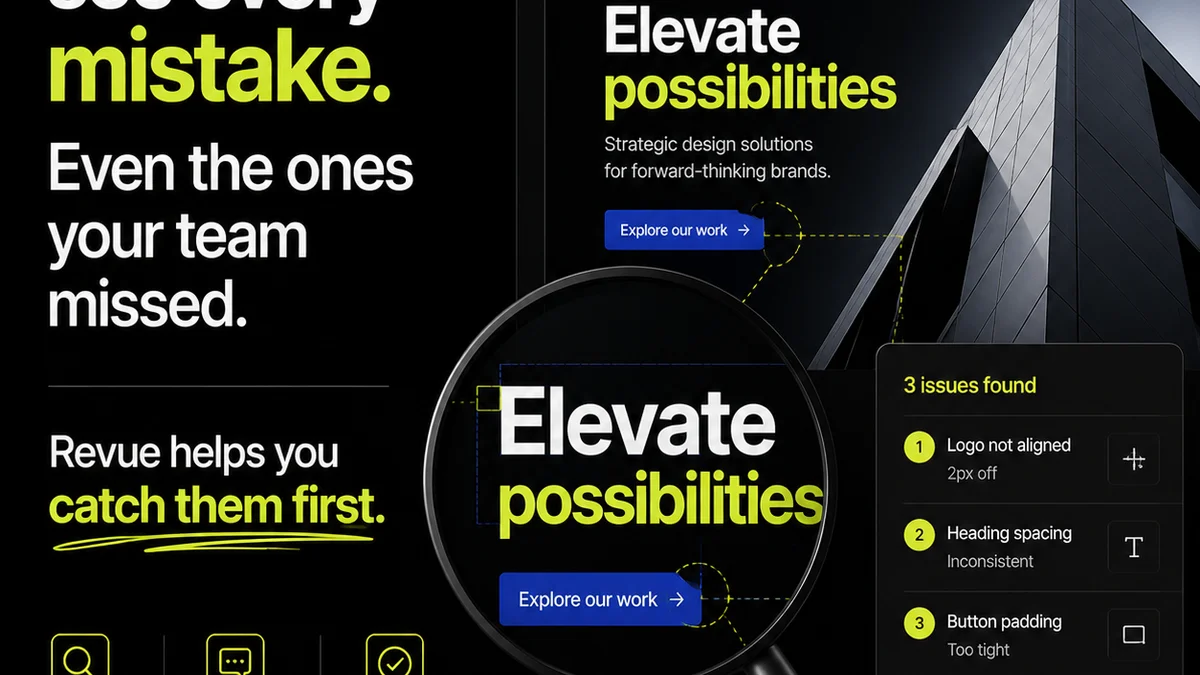
Set up custom checklists for your review gates. Ensure every asset is checked for brand compliance, technical specs, and CTA accuracy *before* it gets to the client. This systematic approach catches errors early, preventing costly rework.
Revue helps you move beyond just 'fast' reviews to *smart*, efficient reviews. It gives you the control and visibility needed to handle volume without sacrificing quality.
Final Thought
The pressure to deliver more creative, faster, isn't going away. The assumption is that we just need better tools for speed. But the real win isn't just about accelerating the process; it's about building a process that inherently reduces friction, clarifies intent, and ensures quality at scale.
Are you optimizing for speed, or for sustainable, high-quality output?
Frequently asked questions
What's the biggest mistake agencies make when reviewing high-volume creative campaigns?
The biggest mistake is treating it like a quick glance. Rushing through assets without a clear framework, defined roles, and contextual feedback leads to inconsistencies, errors, and ultimately, more rework. Efficiency isn't just speed; it's clarity and control.
How can I ensure brand consistency across hundreds of creative assets?
Establish a dedicated 'Brand Guardian' role for reviews. Use annotation tools to comment directly on assets, referencing brand guidelines and specific deviations. Batching similar assets also helps maintain focus on brand elements.
What is 'batching' in creative review, and why is it effective?
Batching means grouping similar creative assets together for review (e.g., all social posts of one type, all banner ad sizes). This allows reviewers to get into a consistent rhythm, understand the specific requirements for that asset type, and reduce context-switching, leading to faster and more accurate reviews.
How can I make my feedback more actionable for the creative team?
Provide specific, contextual feedback. Use annotation tools to pinpoint issues, explain the 'why' behind your suggestions, and always reference the original brief or brand guidelines. This removes ambiguity and helps the team understand the strategic reasoning.