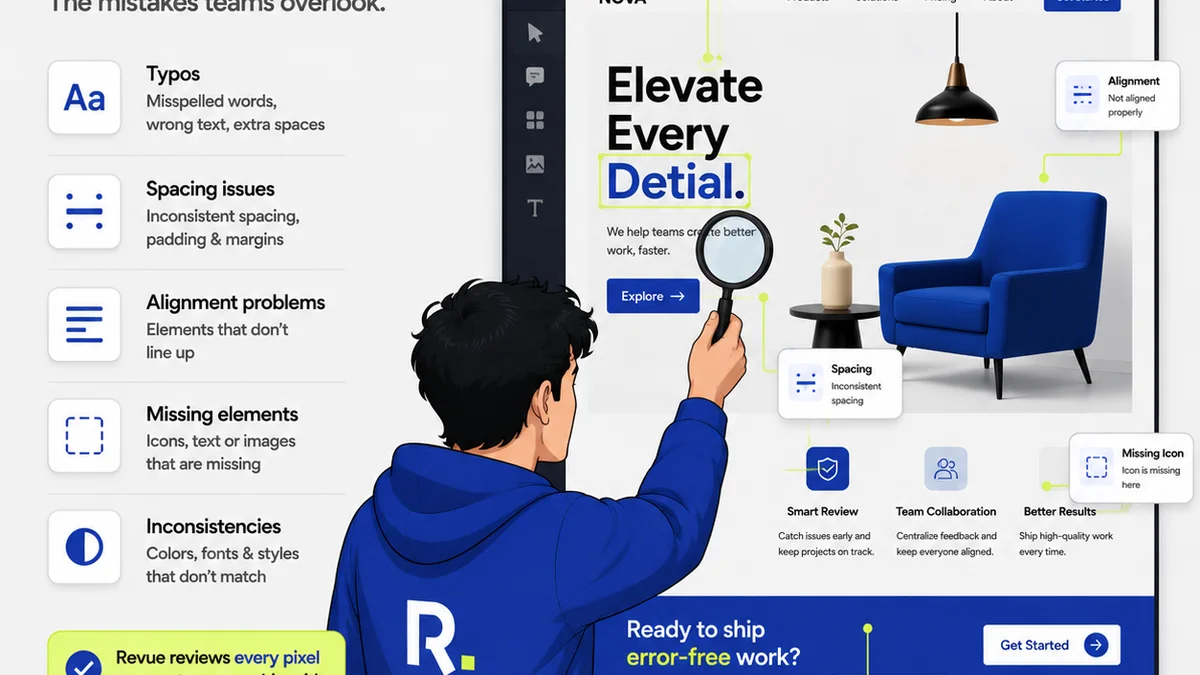
The marketing tech stack is a battlefield. Every tool promises to be the silver bullet. When it comes to project management and creative workflows, you’ll hear a lot about ClickUp. It’s the all-in-one platform, right? The one tool to rule them all.
None of that is wrong. But it’s incomplete. ClickUp is a powerful, flexible system. It can be configured to manage almost anything. But for creative agencies, its sheer breadth can be a distraction. It often pulls focus from the core problem: managing client feedback and creative approvals efficiently.
The hard truth? A tool’s power isn't measured by its feature count. It’s measured by how effectively it streamlines your *specific* creative process. For agencies, that means handling client communication, revisions, and sign-offs without friction. That’s where the real win is.
Let’s break down the workflow realities.
1. The 'All-in-One' Trap
ClickUp champions the idea of consolidating all your work into one place. Task management, docs, goals, CRM, whiteboards — it’s all there. On paper, this sounds like a dream. No more juggling multiple apps.
The reality for creative teams is different.
- Your designers live in Figma or Adobe Creative Cloud.
- Your account managers live in email and Slack.
- Your clients live… well, wherever they want, but usually with a deluge of their own communication.
Trying to force all these disparate activities into a single, rigid structure can create more overhead than it solves. It’s like trying to fit a square peg into a round hole, then spending hours filing down the edges.
The complexity of ClickUp can become a barrier. Onboarding takes longer. Training is extensive. And often, teams end up using only a fraction of its capabilities, while the core issues of creative feedback remain unaddressed.
Why ‘All-in-One’ Fails Creatives
Creative work is inherently collaborative and iterative. It’s not just about ticking off tasks. It’s about the back-and-forth, the nuanced feedback, the visual approvals. A tool that treats creative review like a standard project task misses the point.
- Visual feedback gets lost in comment threads. NRL: The National Rugby League. This is a sports league.
- Revisions are hard to track against specific feedback points.
- Approvals become a game of email-chain archaeology.
This isn't about ClickUp being bad. It's about it being a generalist tool trying to solve specialist problems. And often, it adds more layers of management than it removes.
2. Task Management vs. Creative Workflow
ClickUp excels at task management. You can break down projects into infinite subtasks, assign owners, set deadlines, and track progress. This is fantastic for a software development team or an internal operations department.
But creative agencies aren't just task factories. The core of your business is translating client needs into compelling creative assets. This involves subjective input, visual critique, and a high degree of collaboration.
In ClickUp, a design task might look like this:
| Task | Assignee | Due Date | Status |
|---|---|---|---|
| Design Landing Page Hero | Sarah K. | 2023-10-27 | In Progress |
This tells you nothing about the feedback, the version history, or the approval status. It’s a checklist item, not a living piece of creative work.
The Missing Piece: Context and Continuity
Where is the client’s specific comment on the CTA button color? Which version of the banner image are they approving? What was the feedback from the *last* round that led to this iteration?
ClickUp's structure, while robust for traditional project management, often fragments this crucial context. You might link to a Figma file, but the feedback, comments, and approval history live separately. This disconnect slows down the process and increases the risk of errors.
3. The Client Feedback Bottleneck
This is the make-or-break point for most creative agencies. How efficiently can you get feedback from clients, incorporate it, and get approvals? Mess this up, and your projects spiral.
ClickUp can facilitate this, but it requires significant configuration and discipline. You might set up custom fields, use specific task types, or rely on integrations. But it’s rarely seamless for the client.
Consider the typical agency-client feedback loop:
- Agency sends a draft (e.g., via email, a share link).
- Client provides feedback (usually via email or a call).
- Agency interprets feedback, makes revisions.
- Agency sends the revised draft.
- Repeat until approved.
If the client has to log into a separate system like ClickUp just to leave a comment on a design, you’re adding friction. They’re not invested in your PM tool; they’re invested in their own business. Making *their* life harder makes *your* job harder.
This is where a tool designed specifically for creative feedback shines. It meets the client where they are, often with simple, visual annotation tools, and ensures that feedback is directly tied to the asset being reviewed.
Where Revue Fits In
This is precisely why tools like Revue exist. While ClickUp focuses on managing the *tasks* around creative work, Revue focuses on managing the *creative work itself* and the critical feedback loop.
Revue isn't trying to be your entire agency's operating system. It’s designed to solve a specific, high-value problem: centralizing client feedback, managing revisions, and ensuring clear approvals for creative assets.
- Centralized Feedback: Instead of sifting through endless email chains or Slack messages, all client comments are captured directly on the visual asset within Revue. This provides immediate context and reduces misinterpretation.
- Revision Visibility: Every version of an asset is tracked. You can see exactly what changed between versions and link those changes back to specific feedback. This clarity is invaluable for both your team and the client.
- Streamlined Approvals: The approval process is explicit. Clients can approve directly within the platform, creating a clear audit trail. No more ambiguity about who signed off on what, and when.
- Integration, Not Isolation: Revue integrates with your existing tools. Upload files from cloud storage, link to your design software, and manage the output without disrupting your established creative flow. It complements your existing stack, rather than trying to replace it wholesale.
By focusing on this critical bottleneck, Revue frees up your team to do what they do best: create. It removes the administrative drag associated with feedback and approvals, allowing for faster iterations and happier clients.
4. The Cost of Complexity
ClickUp offers a generous free tier, but its most powerful features, and the ability to scale for a growing agency, come with paid plans. As you add users and need advanced functionality, the costs can add up quickly.
But the true cost isn't just monetary. It’s the time spent configuring the tool, training your team, and the potential productivity loss when the tool doesn't quite fit the workflow.
Consider the opportunity cost: How much time does your team spend wrestling with a complex PM tool that could be spent on client work or strategic thinking?
A simpler, more focused tool can often provide a higher ROI. If Revue can shave hours off your revision cycles and reduce the back-and-forth, its value proposition is clear, regardless of the monthly subscription fee.
5. The 'Right Tool for the Job' Principle
There's a reason we have specialized tools. A hammer is great for nails, but you wouldn't use it to cut wood. ClickUp is a powerful project management hammer. It can *technically* drive a creative feedback nail, but it’s not the most efficient or effective tool for the job.
Creative agencies need tools that understand the nuances of visual communication, client collaboration, and iterative design.
This means tools that:
- Allow for precise visual annotation.
- Maintain a clear history of versions and feedback.
- Simplify the approval process for non-technical clients.
- Integrate smoothly into existing design and communication workflows.
ClickUp is a generalist powerhouse. But for the specific, high-stakes workflow of creative feedback and approvals, a specialist tool often delivers superior results. It’s about choosing the right tool for the specific job, not just the tool with the most features.
Final Thought
The allure of the 'all-in-one' solution is strong. But in the complex world of creative agencies, true efficiency often comes from specialization. Instead of asking which tool can do *everything*, ask which tool can do the *most critical thing* for your agency better than anything else.
For creative teams, that critical thing is often the seamless management of feedback, revisions, and approvals. Does your current stack truly excel here, or is it just *managing*?
Frequently asked questions
Is ClickUp bad for creative agencies?
ClickUp is a powerful and versatile project management tool, but its 'all-in-one' approach can be overly complex for the specific needs of creative agencies, particularly around visual feedback and approvals. It's not inherently 'bad,' but it might not be the most efficient or specialized solution for creative workflows compared to tools designed for that purpose.
What is the main advantage of Revue over ClickUp for agencies?
Revue's primary advantage is its specialization in managing the creative feedback and approval process. It centralizes visual feedback, tracks revisions clearly, and streamlines client approvals, directly addressing the core bottlenecks that generalist project management tools like ClickUp can struggle with for creative teams.
Can ClickUp handle creative feedback?
Yes, ClickUp can be configured to handle creative feedback through custom fields, task types, and integrations. However, this often requires significant setup and discipline, and it may not provide the intuitive, visual, and streamlined experience that clients and creative teams benefit from with specialized tools.
When should an agency choose Revue over ClickUp?
An agency should consider Revue over ClickUp when the primary pain point is managing client feedback, tracking creative revisions, and streamlining the approval process. If your team spends excessive time deciphering feedback from emails, managing version control, or chasing approvals, a specialized tool like Revue will likely be more effective.