You’ve heard it before: “We use Jira for everything.” It’s the go-to for project management, especially in tech-adjacent fields. Many agencies and creative teams try to shoehorn client feedback, design revisions, and creative approvals into Jira. They think it’s the only way to keep everything trackable.
None of that is wrong. But it’s incomplete.
Jira is a powerful issue and project tracking tool. It excels at managing complex workflows, software development sprints, and bug reporting. But creative work isn't software development. Client feedback isn't a bug. And design revisions aren't code commits. Forcing creative workflows into Jira leads to friction, miscommunication, and ultimately, slower project delivery.
1. The Fundamental Mismatch: Dev vs. Creative
At its core, Jira was built for software developers. Its strength lies in structured, linear processes. Think bug tracking, feature development, and release cycles. Everything is about moving tasks through predefined states, with clear criteria for completion.
Creative work, however, is inherently iterative and often subjective. It involves interpretation, nuance, and subjective aesthetic judgment. Client feedback isn't always black and white. It's often a blend of opinions, gut feelings, and sometimes, outright confusion.
Why Jira Fails Creatives
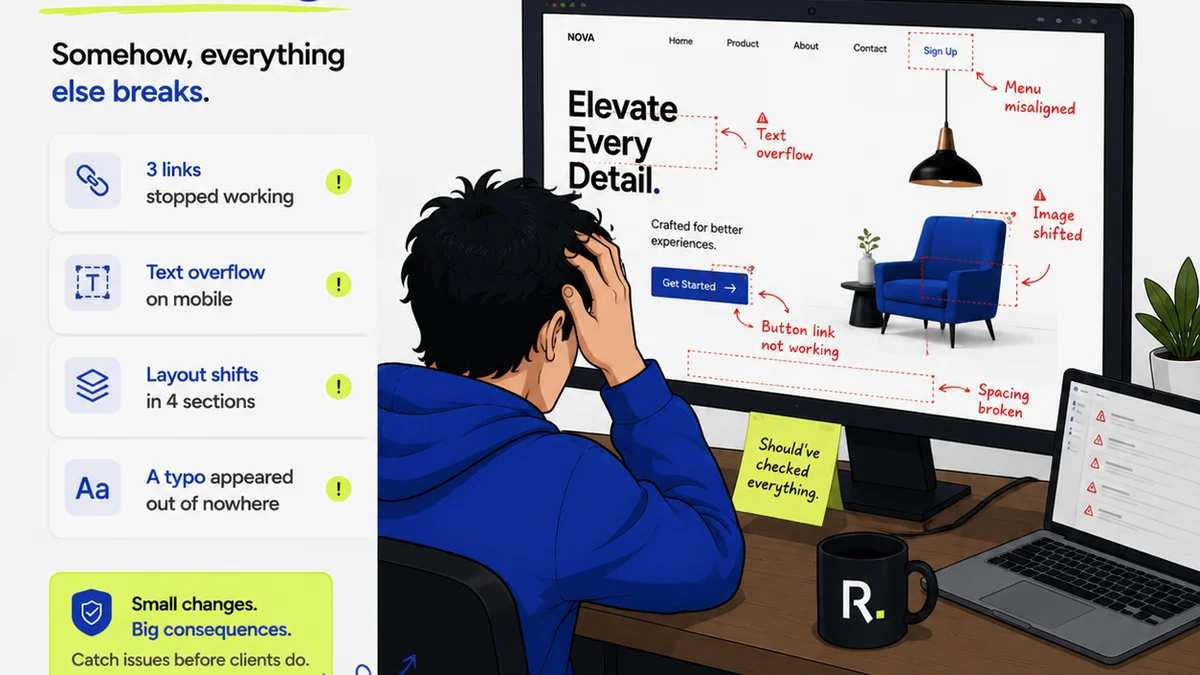
- Context Collapse: Jira tickets often strip away visual context. Comments and attachments get buried. It’s hard to see the entire visual conversation at a glance.
- Linear Thinking for Non-Linear Work: Creative iteration isn't a straight line. It’s a messy, back-and-forth process. Jira’s rigid structure fights this natural flow.
- Developer-Centric Language: Terms like “epics,” “stories,” and “sprints” don’t resonate with designers or clients. This jargon creates a barrier.
- Lack of Visual Prioritization: Creatives need to see the work, not just read about it. Jira’s list-based view doesn't prioritize visual assets effectively.
Trying to manage a logo redesign or a website mockup using Jira feels like trying to hammer a screw. You might get it in eventually, but it’s inefficient and likely to damage the material.
2. The Illusion of Control: Why Jira Feels Like a Bottleneck
Agencies adopt Jira for its perceived control and visibility. They want to track every step, every revision, every client comment. The idea is that if it’s in Jira, it’s managed.
The hard truth? Jira often creates an *illusion* of control while becoming a bottleneck.
How Jira Slows Down Creative Projects
- Information Silos: Feedback gets logged in Jira, but the actual design files live elsewhere (Figma, Adobe CC, etc.). This forces context switching and hunting for information.
- Communication Breakdown: Clients and even internal teams struggle with Jira’s interface. This leads to missed feedback, misunderstood requests, and endless clarification loops.
- Revision Hell: Tracking multiple versions of a design within Jira’s structure is cumbersome. It’s easy to lose track of which iteration is the latest or what specific changes were requested on a particular version.
- Approval Paralysis: Getting formal sign-off can be a clunky process in Jira, often requiring manual steps outside the system, defeating the purpose of a centralized tool.
This isn't about Jira being a
Frequently asked questions
Can Jira be used for creative projects at all?
Jira can technically be used for any project, but it's not optimized for creative workflows. Its developer-centric design leads to inefficiencies and communication breakdowns when managing visual assets and subjective feedback.
What are the main drawbacks of using Jira for creative feedback?
The primary drawbacks include a lack of visual context, rigid workflows that don't suit iterative design, communication barriers due to jargon, and difficulty in managing multiple design versions and approvals efficiently.
How does Revue differ from Jira for creative teams?
Revue is specifically designed for creative workflows. It centralizes visual feedback directly on creative assets, streamlines revision and approval processes, and provides clear visibility for all stakeholders, unlike Jira's issue-tracking focus.
Is it possible to integrate Revue with Jira?
While integrations might exist, they often don't solve the fundamental workflow mismatch. The goal is to use the right tool for the right job, rather than trying to make a developer tool function as a creative one.