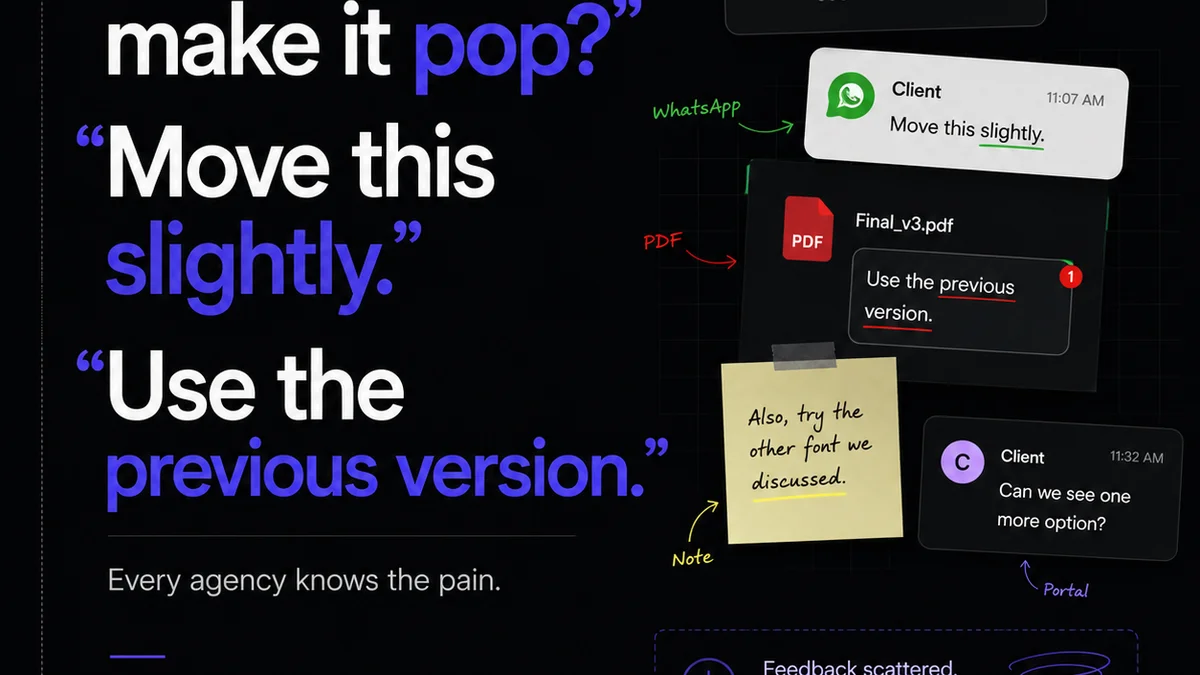
You're looking at creative review software. Maybe you're comparing Revue and Ziflow. You're probably deep in feature lists, ticking boxes: annotation tools, version control, client dashboards, integrations. None of that is wrong. But it’s incomplete.
The real difference isn't in the features themselves, but how they enable your agency's actual workflow. It's about friction, not functionality. It's about getting work approved faster, with fewer headaches, and higher quality. That’s the hard truth most comparisons miss.
1. The Illusion of Feature Parity
Most modern creative review platforms – including Revue and Ziflow – offer a similar core set of tools. You can upload files, add comments, mark up designs, and track revisions. On paper, they look like twins.
But look closer. How intuitive is the annotation process for a non-designer? How easy is it to consolidate feedback from multiple stakeholders? How quickly can you see the history of changes on a specific element?
Annotation Depth
Some tools make adding a simple text comment a multi-click affair. Others allow for precise point, line, or area annotations, even on video. The difference matters for clarity and speed.
Version Control Complexity
Managing multiple versions is standard. But how do you compare two specific versions side-by-side? How do you revert to an older version easily? Or see only the *new* changes between versions?
User Roles and Permissions
Can you easily grant view-only access to a client while giving full edit permissions to your internal team? Granular control prevents accidental changes and streamlines external collaboration.
2. Workflow Friction: The Real Killer
This is where the rubber meets the road. A feature list doesn't tell you how much friction a tool introduces into your daily operations. Friction slows down approvals, increases errors, and frustrates teams.
Think about the entire lifecycle of a creative asset:
- Onboarding new clients: How quickly can you get them set up and providing feedback without a lengthy training session?
- Internal review cycles: Can your creative director quickly see all pending feedback and assign actions?
- Client review rounds: Is the client presented with a clear, uncluttered interface to provide feedback?
- Revision implementation: Can your designers easily access the latest feedback and understand what needs to be done?
- Final approval: Is there a clear, auditable trail of sign-offs?
Each step is an opportunity for a tool to either smooth the path or create a roadblock. Ziflow and Revue, like any platform, will have different strengths and weaknesses in reducing this friction.
3. The Cost of Doing Business: Beyond Subscription Fees
Everyone looks at the monthly or annual subscription cost. But that’s only part of the picture. The true cost of a creative review tool includes:
- Onboarding and training time: How much time does your team, and your clients, need to learn the tool?
- Integration costs: Does it play nicely with your existing stack (e.g., Adobe Creative Cloud, project management tools)? Or does it require workarounds?
- Missed deadlines due to slow feedback: The cost of delays can far outweigh software fees.
- Rework due to miscommunication: Unclear feedback, or feedback lost in email threads, leads to wasted effort.
A cheaper tool that causes more friction can end up costing you significantly more in the long run.
4. Scalability and Specialization
Agencies grow. Project complexity increases. Do these tools scale with you?
Consider:
- Project volume: Can the platform handle hundreds of projects simultaneously without performance degradation?
- Team size: Does it accommodate growing teams with different access needs?
- Asset types: While most handle standard formats, what about highly specialized assets like 3D models or complex interactive prototypes?
- Client types: Are you working with small businesses who need simplicity, or enterprise clients with complex approval hierarchies?
Some platforms are built for broad usability, while others might offer deeper functionality for specific niche use cases. It's about matching the tool's specialization to your agency's primary needs.
Where Revue Fits In
Revue isn't just another feature list. It’s built from the ground up to tackle the core friction points in creative review and approval workflows.
We focus on making feedback actionable and approvals straightforward.
- Centralized Feedback Hub: All comments, annotations, and discussions live in one place, linked to specific assets. No more hunting through emails or Slack messages.
- Clear Revision Tracking: Easily see what's changed between versions, understand the history of feedback, and manage the revision process with confidence.
- Streamlined Approvals: Configurable approval workflows ensure the right people sign off at the right time, creating an auditable trail.
- Quality Assurance Focus: Built-in checklists and review gates help ensure creative work meets standards before it goes live.
The goal is to reduce the time and mental energy spent on the administrative side of reviews, freeing up your team to do their best creative work.
Final Thought
When comparing tools like Revue and Ziflow, resist the urge to get lost in the feature matrix. Instead, map out your current, and desired future, creative review workflow. Identify the biggest bottlenecks and points of friction.
Then, ask yourself: which platform, despite its specific feature set, demonstrably removes the most friction and adds the most clarity to *your* team's day-to-day reality? The answer isn't always obvious, but it's the only one that truly matters for your agency's bottom line.
Frequently asked questions
What's the main difference between Revue and Ziflow?
While both offer core creative review features, the key difference lies in how they address workflow friction. Revue focuses on streamlining feedback consolidation, revision tracking, and approval processes to reduce administrative overhead. Ziflow also provides robust review tools but might appeal to different workflow priorities. The best choice depends on your agency's specific needs and pain points.
How do I choose the right creative review software for my agency?
Don't just compare feature lists. Map out your current creative review workflow and identify bottlenecks. Consider how easily clients and your team will adopt the tool, the level of friction it introduces, and its long-term cost beyond the subscription fee (training, rework, delays). Choose the platform that best solves your specific workflow challenges.
Is feature parity important in creative review tools?
Feature parity is less important than workflow enablement. Many tools offer similar basic features (like annotations). The critical factor is how intuitively and efficiently those features integrate into your agency's unique process. A tool might have more features but create more friction if its design doesn't match your operational reality.
How does creative review software impact project timelines?
Efficient creative review software significantly shortens project timelines by reducing the back-and-forth associated with feedback and approvals. Clear communication channels, easy version comparison, and streamlined sign-off processes minimize delays, prevent misunderstandings, and ensure projects move forward predictably.