Everyone thinks packaging quality assurance (QA) is about catching typos and making sure the logo is the right color. None of that is wrong. But it’s incomplete. It’s a surface-level view that misses the real operational drag.
The hard truth? Packaging QA isn’t just about the final output; it’s about the chaotic *process* that gets you there. And if your process is a mess, your QA will be too, no matter how many checklists you create.
1. The Myth of the Individual QA Hero
Many teams rely on a single person or a small group to be the ultimate gatekeeper for packaging quality. They’re the “eyes” of the operation. They catch the errors. They’re the heroes.
This is a fragile setup.
What happens when that hero is sick? On vacation? Or just overwhelmed? Suddenly, your entire production pipeline grinds to a halt. Or worse, errors slip through because the one person who *would* have caught them wasn’t there.
This model also breeds a lack of ownership. Other team members might feel less responsible for quality because they know someone else is there to catch their mistakes.
It's an unsustainable dependency.
The Real Problem: Siloed Knowledge and Reactive Checks
Packaging QA needs to be a distributed responsibility, not a bottleneck.
When QA is concentrated, the knowledge about what makes a good, error-free package lives in one or two heads. This makes it hard to scale and impossible to consistently apply standards across different projects or even different stages of the same project.
Shifting to a Systemic Approach
The goal isn't to find the perfect QA person. It's to build a system where quality is baked in from the start.
- Define clear, measurable quality standards upfront.
- Integrate QA checks at multiple points in the workflow, not just at the end.
- Empower every team member to be a quality advocate.
2. Why Your Current Feedback Loop is Broken
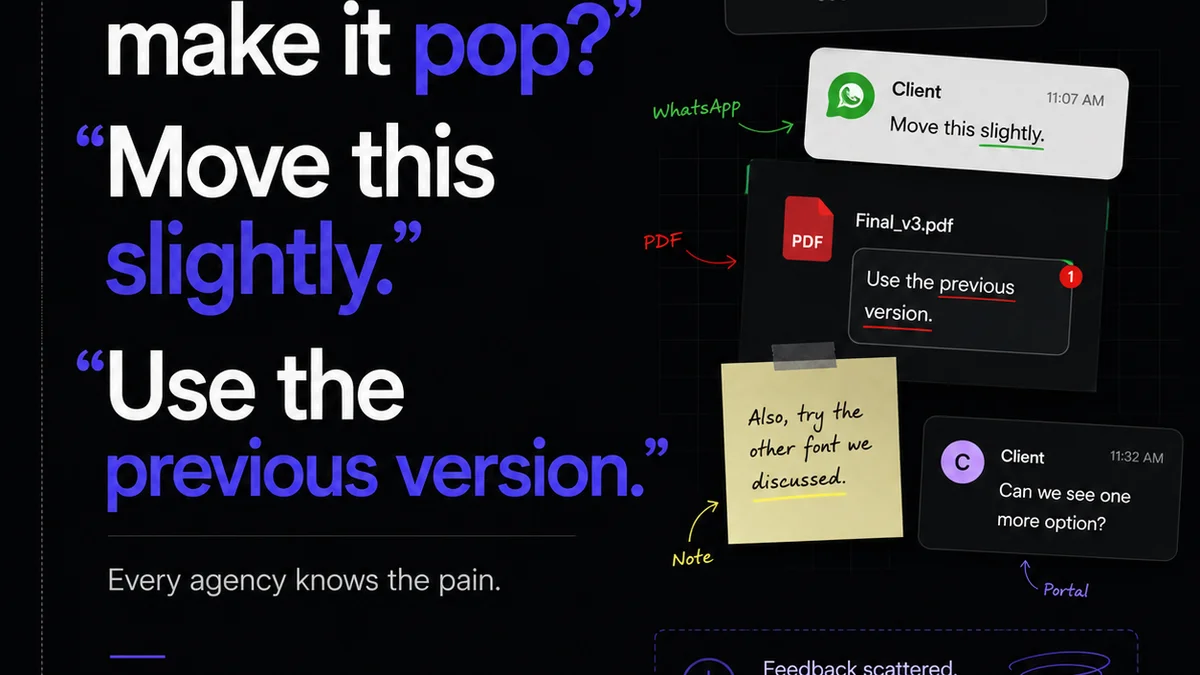
Think about the last time you reviewed packaging artwork. Was it a clean, single source of truth? Probably not. You likely had:
- Emails with jpegs attached.
- Slack messages with annotated screenshots.
- Comments buried in a shared drive document.
- Verbal feedback that was never written down.
- Feedback from clients that was relayed secondhand by account managers.
This is the reality for most creative teams. And it’s a breeding ground for errors.
The Cost of Scattered Feedback
Every time feedback is scattered, something gets lost. A nuance. A specific instruction. A critical detail.
This leads to:
- Misinterpretations and rework.
- Missed deadlines because of unnecessary back-and-forth.
- Frustrated clients who feel their input isn't being heard.
- Inconsistent final products.
You end up chasing ghosts, trying to reconcile conflicting instructions or find that one crucial piece of feedback buried in an inbox from three weeks ago.
Standardizing Communication Channels
The first step to fixing this is to centralize. You need a single place where all feedback lives, is organized, and is actionable.
This means moving away from ad-hoc communication and adopting a dedicated platform for creative review and approval.
When feedback is in one place, it’s easier to track, reference, and ensure that all stakeholders are working from the same set of instructions.
3. The Dangers of Ambiguous Approval Gates
What does “approved” really mean in your workflow? Is it a nod from the Creative Director? A quick “looks good” from the client in an email? A checkmark in a project management tool?
If your approval process is vague, your QA process will be too.
Ambiguity here means that tasks might move forward without true sign-off, or that sign-off is based on incomplete information.
The Illusion of Progress
A project might appear to be moving quickly because approvals are being given liberally. But if those approvals aren't tied to a thorough, documented review, you’re building on shaky ground.
This can lead to major issues surfacing late in the game, often after the packaging has gone to print.
The cost of fixing errors post-approval is exponentially higher than catching them pre-approval.
Implementing Clear, Versioned Approvals
Your approval process needs structure.
- Define who has the authority to approve at each stage.
- Require specific, documented approvals for each version of the artwork.
- Ensure that all feedback has been addressed *before* final approval is granted.
This creates a clear audit trail and ensures that everyone is aligned on the final output.
4. Overcoming Version Control Nightmares
How many times have you seen a file named something like:
- `packaging_final.ai`
- `packaging_final_v2.ai`
- `packaging_final_v2_REALLY_final.ai`
- `packaging_final_v2_REALLY_final_FOR_PRINT.ai`
This is not version control; it’s chaos management. It’s a symptom of a deeper problem: the lack of a systematic way to track changes and ensure the correct version is always being worked on and reviewed.
The Risk of the Wrong File
Sending the wrong version to print is one of the most costly and embarrassing mistakes an agency or design team can make.
It means wasted materials, production delays, and potentially having to re-do the entire print run.
This isn't just about file naming conventions; it's about having a robust system that manages revisions and makes the latest, approved version unequivocally clear.
Leveraging Technology for Clarity
Modern tools can automate much of this complexity.
- Automated versioning that tracks every iteration.
- Clear indicators of the current, approved version.
- The ability to revert to previous versions if necessary.
This eliminates the guesswork and ensures that your team and your clients are always working with the definitive artwork.
5. Where Revue Fits In
Standardizing packaging QA requires a centralized hub for feedback, revisions, and approvals. That’s precisely what Revue is built for.
Imagine this:
- All stakeholder feedback—client, legal, marketing, production—lives in one place. No more digging through emails or Slack.
- Visual annotations directly on the artwork pinpoint exactly what needs changing.
- Clear revision history shows every iteration, making it easy to track progress and spot discrepancies.
- Configurable approval workflows ensure that the right people sign off at the right time, with a clear audit trail.
Revue streamlines the entire review and approval process, making your packaging QA more robust, efficient, and less prone to human error. It transforms QA from a heroic effort into a systematic, transparent process.
Final Thought
Is your packaging QA process a source of confidence or a cause for anxiety? The difference often lies not in the skills of your reviewers, but in the robustness of your workflow. By moving beyond individual heroes and scattered feedback, you can build a system that guarantees quality, speeds up approvals, and protects your agency’s reputation. What's one small change you can make today to start standardizing your QA?
Frequently asked questions
What are the key benefits of standardizing packaging QA?
Standardizing packaging QA leads to fewer errors, faster turnaround times, reduced rework, improved client satisfaction, and a more consistent brand output. It shifts QA from a reactive bottleneck to a proactive, integrated part of the workflow.
How can I ensure all team members contribute to QA, not just one person?
Empower every team member by defining clear quality standards, integrating QA checks at multiple workflow stages, and using a centralized platform for feedback and approvals. This distributes ownership and knowledge, making QA a shared responsibility.
What's the best way to manage feedback for packaging artwork?
Use a dedicated creative review and approval platform, like Revue, to centralize all feedback. This avoids scattered communication across emails, Slack, or documents, ensuring all comments are captured, organized, and actionable on the artwork itself.
How do I prevent the wrong version of packaging artwork from being approved?
Implement a clear, version-controlled approval process. Use tools that automatically track revisions, clearly indicate the current approved version, and provide an audit trail. This eliminates confusion and the risk of sending outdated files to print.