Everyone talks about UI/UX. They throw around terms like 'user-centric design,' 'intuitive interfaces,' and 'seamless experiences.' It sounds fancy. It sounds like magic.
And none of that is wrong. But it’s incomplete.
The real truth? UI/UX isn't about chasing the latest design fads or mastering complex software. It's about deep empathy, relentless problem-solving, and a structured process that turns user needs into tangible business results.
This isn't a guide to becoming a 'UX guru' overnight. It's a pragmatic roadmap for understanding what UI/UX actually *is*, why it matters, and how to start applying its core principles effectively.
1. Deconstructing UI vs. UX
Let's clear the air. UI and UX are often used interchangeably, but they're distinct disciplines. Think of them as two sides of the same coin, essential for a great product experience.
User Interface (UI) Design
UI is about the 'look and feel' of a product. It's the visual presentation and the interactive elements users engage with.
This includes:
- Color palettes
- Typography
- Layout and spacing
- Buttons, icons, and other visual elements
- Responsiveness across devices
A good UI is aesthetically pleasing, consistent, and clearly communicates how to interact with the product. It's the bridge between the user and the underlying functionality.
User Experience (UX) Design
UX, on the other hand, is about the overall experience a user has with a product. It's not just about how it looks, but how it works, how easy it is to use, and how it makes the user *feel*.
UX design focuses on:
- User research
- Information architecture
- Wireframing and prototyping
- Usability testing
- Defining user flows
- Ensuring the product solves a real problem
A great UX is intuitive, efficient, and satisfying. It anticipates user needs and removes friction points.
The Interdependence
You can have a beautiful UI that's a nightmare to use. Conversely, a product might be functional but visually unappealing and off-putting. The sweet spot is where compelling UI supports an excellent UX.
2. The Foundation: Understanding Your User
This is the bedrock of all good UI/UX. If you don't know who you're designing for, you're just guessing.
User Research: Digging Deeper
Forget assumptions. Talk to real people. Understand their goals, their pain points, their motivations, and their current behaviors.
Methods include:
- Interviews
- Surveys
- Persona development
- User journey mapping
- Competitor analysis
The goal is to build a clear picture of your target audience. Who are they? What do they need? What problems are they trying to solve?
Defining User Needs
Once you understand your users, you can define their needs. These aren't just wants; they're the fundamental requirements that your product must meet to be successful.
A good way to frame this is through user stories:
- As a [type of user], I want [some goal] so that [some reason].
For example: 'As a busy agency owner, I want to quickly see all client feedback in one place so that I can prioritize revisions efficiently.'
Empathy is Your Superpower
This stage requires genuine empathy. Put yourself in your user's shoes. What frustrates them? What delights them? This understanding is crucial for designing solutions that resonate.
3. The Process: From Idea to Interface
UI/UX design isn't a one-off task; it's an iterative process. It involves stages of planning, designing, testing, and refining.
Information Architecture (IA)
IA is about organizing and structuring content logically. How will users navigate your product? What information needs to be accessible, and where should it live?
Think of it as the blueprint for your product's content and navigation.
Wireframing and Prototyping
Wireframes are low-fidelity sketches of your product's layout. They focus on structure and functionality, not visual design.
Prototypes are interactive models that simulate the user experience. They allow you to test flows and interactions before committing to full design or development.
- Low-fidelity prototypes: Quick, often paper-based, for early concept testing.
- High-fidelity prototypes: Closer to the final product, with detailed visuals and interactions.
Visual Design
This is where UI takes center stage. Apply branding, color, typography, and imagery to create an appealing and consistent interface.
Key considerations:
- Brand consistency
- Accessibility (contrast ratios, font sizes)
- Visual hierarchy
- Microinteractions (subtle animations that provide feedback)
Usability Testing
This is non-negotiable. Get your designs in front of real users and observe them. Where do they struggle? What confuses them? What delights them?
Iterate based on feedback. Testing early and often saves immense time and resources down the line.
4. Essential UI/UX Principles
Beyond process, certain principles guide effective UI/UX design. These are timeless, regardless of trends.
Clarity
The interface should be easy to understand. Users shouldn't have to guess what an element does or where to find information.
Consistency
Maintain a consistent design language throughout the product. This includes visual elements, terminology, and interaction patterns. It builds familiarity and reduces cognitive load.
Feedback
Users need to know that their actions have been registered. Provide clear visual or auditory feedback for every interaction.
Efficiency
Help users achieve their goals quickly and with minimal effort. Streamline workflows and reduce unnecessary steps.
Accessibility
Design for everyone. Consider users with disabilities. This includes sufficient color contrast, keyboard navigation, and clear labeling.
Simplicity
Don't overcomplicate. Remove unnecessary elements and features. Focus on what provides the most value.
5. Where Revue Fits In
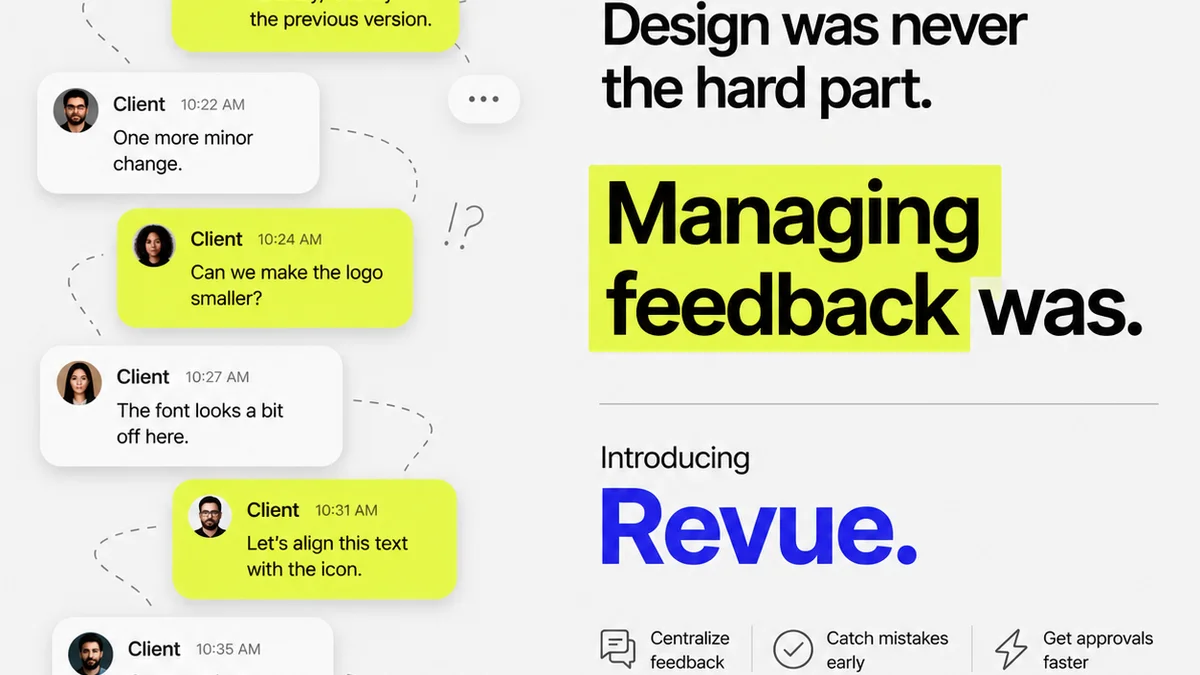
Managing creative projects involves constant feedback loops, revisions, and approvals. This is where UI/UX principles become critical operational tools.
Revue is built to streamline these workflows, ensuring a better experience for your team and your clients.
- Centralized Feedback: All client comments, annotations, and approvals live in one place. No more sifting through endless email chains or scattered documents. This directly supports clear communication and reduces misunderstandings – a core UX principle.
- Revision Visibility: Track every version, every change, and who approved what. This transparency ensures everyone is on the same page and supports efficient iteration, crucial for a smooth UX.
- Quality Checks: Ensure all feedback is addressed and designs meet project requirements before final delivery. This structured approach helps maintain a high-quality output, reflecting good UX and a professional UI.
By integrating Revue, you're not just managing files; you're enhancing the collaborative design process, making it more intuitive, efficient, and satisfying for everyone involved.
6. Common Pitfalls for Beginners
Getting started is exciting. But it's easy to fall into common traps.
Over-reliance on Tools
Software is a tool, not a solution. You can have the most advanced design software, but without understanding user needs and design principles, your output will be mediocre at best.
Ignoring User Feedback
The 'my way is best' mentality is a killer. You're not the user. Testing and feedback are your guides.
Chasing Trends
Designing for the 'gram' or the latest aesthetic often sacrifices usability. Focus on timeless principles over fleeting fads.
Lack of Process
Jumping straight into high-fidelity mockups without research, IA, or wireframing is a recipe for disaster. Structure your approach.
Not Testing Early or Often Enough
The later you find a problem, the more expensive it is to fix. Test prototypes, test live versions, test constantly.
Final Thought
UI/UX design is more than just pixels and prototypes. It's a discipline grounded in understanding people and solving their problems effectively.
Are you designing for your users, or just for yourself?
Frequently asked questions
What's the main difference between UI and UX?
UI (User Interface) is the visual design and interactive elements of a product (how it looks and what you click). UX (User Experience) is the overall feeling and effectiveness of the user's interaction with the product (how it works and how easy it is to use).
Do I need to be a coder to do UI/UX?
No. While understanding development constraints is helpful, UI/UX design focuses on research, strategy, wireframing, prototyping, and user testing. Coders bring the designs to life.
How important is user testing in UI/UX?
Extremely important. User testing is crucial for validating design decisions, identifying usability issues, and ensuring the product meets user needs. Testing early and often saves time and resources.
What are the most important UI/UX principles for beginners?
Focus on clarity, consistency, providing feedback, efficiency, accessibility, and simplicity. These principles ensure a product is usable, understandable, and enjoyable for a wide range of users.