Everyone talks about great UI/UX. The intuitive interfaces, the seamless user journeys, the delightful interactions. It sounds magical, like it just happens. The assumption? That great design is born from flashes of genius, or maybe just a really good design system.
None of that is wrong. But it’s incomplete.
The hard truth is that exceptional UI/UX isn’t magic. It’s the result of a disciplined, iterative process. A framework that moves you from fuzzy idea to polished product, systematically.
1. The Discovery Phase: Unearthing the Real Problem
Before you sketch a single pixel, you need to know what you're building and why. This isn’t about features. It’s about people.
Understanding the User
Who are you designing for? What are their goals, their pain points, their existing behaviors? This is where user research isn’t optional. It’s foundational.
- Conduct user interviews.
- Analyze existing data.
- Create user personas.
Don’t rely on assumptions. Talk to actual users. Observe them. Understand their context.
Defining the Problem Space
Once you know your users, you can define the problem you’re trying to solve for them. This is more than a feature request; it's a clear statement of need.
- What is the core issue?
- What are the desired outcomes?
- What are the constraints?
A well-defined problem statement acts as your North Star.
2. Ideation & Conceptualization: Exploring Possibilities
Now you can start brainstorming solutions. This phase is about generating a wide range of ideas without judgment.
Divergent Thinking
Cast a wide net. Encourage wild ideas. The goal is quantity and variety.
- Brainstorming sessions.
- Mind mapping.
- Sketching exercises.
Don’t filter yet. Let the ideas flow.
Convergent Thinking
Once you have a pool of ideas, it’s time to narrow them down. Which concepts best address the problem and user needs?
- Dot voting.
- Pro/con analysis.
- Feasibility checks.
Select the most promising concepts to explore further.
3. Design & Prototyping: Bringing Concepts to Life
This is where the visual and interactive elements start to take shape. It’s an iterative loop of designing, testing, and refining.
Wireframing
Start with low-fidelity wireframes. Focus on layout, information architecture, and user flow. This is the blueprint.
- Structure and hierarchy.
- Content placement.
- Navigation patterns.
Get the skeleton right before adding the skin.
Mockups & Visual Design
Elevate wireframes to high-fidelity mockups. Apply branding, color palettes, typography, and imagery. This is the aesthetic.
- UI elements and components.
- Visual hierarchy and affordances.
- Brand consistency.
Make it look and feel right.
Prototyping
Build interactive prototypes. These simulate the user experience, allowing for early testing of flows and interactions.
- Clickable prototypes.
- Micro-interactions.
- State changes.
Let users interact with a realistic representation of the product.
4. Testing & Validation: Ensuring It Works
Design is only as good as its usability. This phase is about getting real feedback to identify and fix issues.
Usability Testing
Observe real users interacting with your prototype or product. Identify where they struggle, get confused, or succeed easily.
- Task completion rates.
- Error identification.
- User satisfaction.
Watch, listen, and learn. Don't defend your design.
Iterative Refinement
Use the feedback from testing to make informed improvements. This is rarely a one-and-done process.
- Address identified usability issues.
- Refine UI elements based on feedback.
- Optimize user flows.
Design is a cycle of build, test, learn, repeat.
5. Implementation & Handoff: Launching with Confidence
The design is finalized. Now it's time to ensure a smooth transition to development and a successful launch.
Developer Handoff
Provide developers with all necessary assets, specifications, and documentation.
- Style guides.
- Asset export.
- Interaction specifications.
Clear communication prevents costly misunderstandings.
Quality Assurance (QA)
Before launch, rigorously test the implemented product to ensure it matches the design and functions correctly across devices and browsers.
- Cross-browser testing.
- Device compatibility.
- Functional accuracy.
Catch bugs before your users do.
Where Revue Fits In
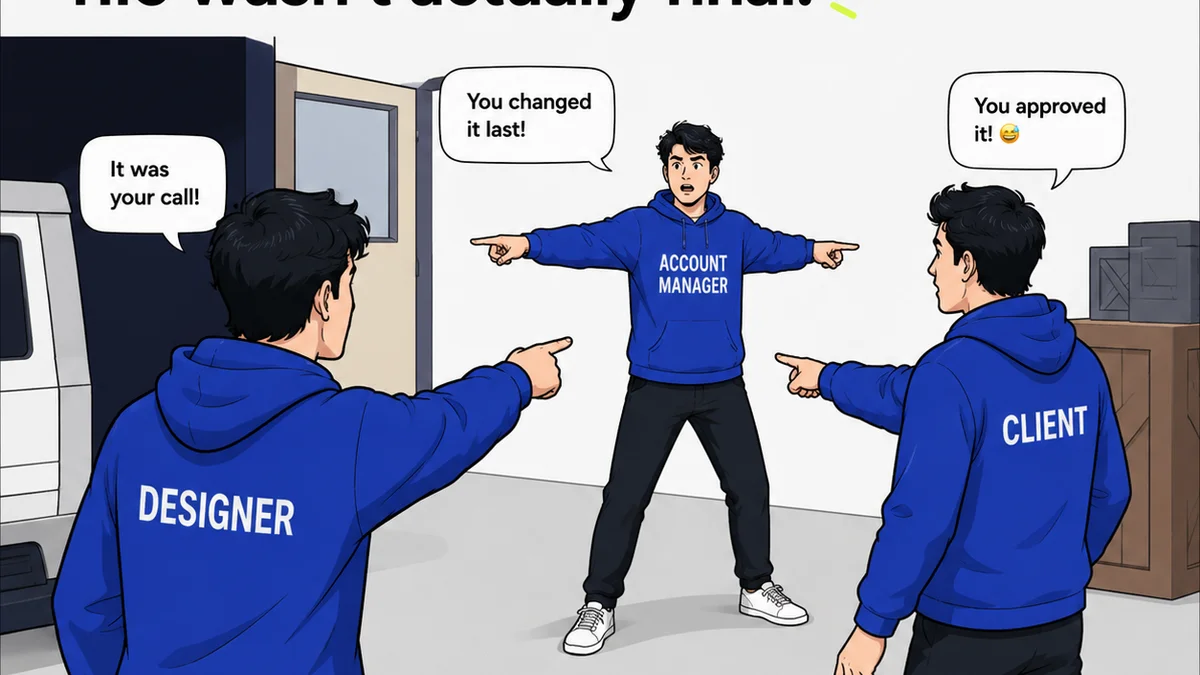
Managing this entire process can feel chaotic. Feedback gets lost, revisions are unclear, and tracking approvals becomes a nightmare.
Revue acts as the central nervous system for your creative workflow.
Centralized Feedback: Instead of scattered emails and Slack messages, all client and stakeholder feedback lives in one place, tied directly to the creative asset. No more hunting for that one crucial comment.
Revision Visibility: Track every iteration. See exactly what changed, who approved it, and when. This transparency eliminates ambiguity and speeds up the approval cycle.
Quality Assurance: Ensure that what gets approved is what actually gets built. Streamline your QA process by having a clear, documented history of feedback and approvals.
It’s about bringing order to the creative process, so you can focus on the design, not the admin.
Final Thought
A framework isn't a straitjacket. It's a guide. It provides structure, ensures thoroughness, and builds confidence. It transforms design from a hopeful endeavor into a predictable engine for creating truly great user experiences.
How much time are you losing to unclear feedback and endless revision cycles? What could you achieve with a more disciplined approach?
Frequently asked questions
What is the most important phase in a UI/UX design framework?
While all phases are critical, the Discovery Phase is arguably the most important. Clearly defining the user and the problem you're solving prevents wasted effort later by ensuring you're building the right thing.
How often should I test my UI/UX designs?
Testing should be an ongoing activity. Start with early usability testing on wireframes and prototypes, and continue with QA testing before launch. Continuous feedback loops are key to iterative improvement.
Can this framework be applied to small projects?
Absolutely. The framework provides a scalable structure. For smaller projects, you might condense or combine certain steps, but the core principles of understanding users, ideating, designing, testing, and iterating remain valuable.
How does a design framework help with client communication?
A framework provides a clear roadmap and a shared language. It helps set client expectations about the process, makes it easier to explain decisions, and ensures that feedback is gathered systematically, leading to more productive client interactions.