You hear it everywhere: UI/UX. It’s the magic ingredient for killer apps, game-changing websites, and customer delight. Good UI/UX is essential, we’re told. Smooth navigation, intuitive interfaces, happy users. None of that is wrong. But it’s incomplete.
The hard truth is that great UI/UX isn’t just about aesthetics or a frictionless user journey. It’s about business outcomes. It’s about reducing friction not just for the end-user, but for your *team* and your *clients* too.
Let’s dig into what UI/UX really means when the rubber meets the road in an agency environment.
1. Deconstructing UI/UX: More Than Just Pretty Pixels
Understanding the Core Components
UI, or User Interface, is about the visual elements users interact with. Think buttons, icons, typography, color palettes, and layout. It’s the look and feel. It’s the presentation layer.
UX, or User Experience, is broader. It encompasses the entire interaction a user has with a product or service. How does it make them feel? Is it easy to achieve their goals? Does it solve their problem effectively?
The Interdependence
You can have a beautiful UI that’s a nightmare to use. Conversely, a functional product with terrible UI can drive users away.
They’re two sides of the same coin. One without the other is a recipe for failure.
2. The Business Impact of Great UI/UX
Beyond User Satisfaction
Sure, happy users are great. But what does that translate to for your agency and your clients?
- Increased conversion rates.
- Higher customer retention.
- Reduced support costs.
- Stronger brand loyalty.
- Competitive advantage.
These aren't abstract concepts. They are measurable business goals that good UI/UX directly influences.
The Cost of Bad UI/UX
The flip side is brutal. Poor UI/UX leads to:
- Lost sales opportunities.
- High bounce rates.
- User frustration and negative reviews.
- Increased churn.
- Wasted development time and budget.
This is where the operational truth hits home. Every revision cycle, every miscommunication, every delayed approval stacks up as a direct cost.
3. UI/UX Design Process: From Concept to Launch
Discovery & Research
This isn’t just about asking clients what they *think* they want. It’s about understanding their users, their market, and their business objectives.
- User personas.
- Competitive analysis.
- User journey mapping.
- Stakeholder interviews.
This foundational work prevents costly assumptions down the line.
Wireframing & Prototyping
Before pixels, there are structures. Wireframes lay out the basic architecture and functionality. Prototypes allow for early testing and iteration.
This is where you test the *flow* before you worry about the *flair*.
Visual Design
Now the UI specialists come in. Applying brand guidelines, crafting the aesthetic, ensuring accessibility. This is where the look and feel are defined.
User Testing & Iteration
Crucial step. Get real users to interact with the design. Observe. Collect feedback. Refine.
This loop is non-negotiable for a truly effective product.
Development Handoff
Clear communication and detailed specifications are key here. The design team needs to provide developers with everything they need to build it accurately.
4. Where Revue Fits In
The UI/UX process, especially in an agency setting, is a complex dance of feedback, revisions, and approvals. It’s easy for things to get lost in translation, leading to scope creep, missed deadlines, and frustrated clients.
Revue streamlines this chaos.
Centralized Feedback
Instead of scattered emails, Slack messages, and scribbled notes, all client feedback lives in one place, tied directly to the creative asset. No more hunting for that one crucial comment.
Revision and Approval Visibility
Track every version, every iteration, and every approval status. Everyone sees the same history, reducing disputes and clarifying who signed off on what, and when.
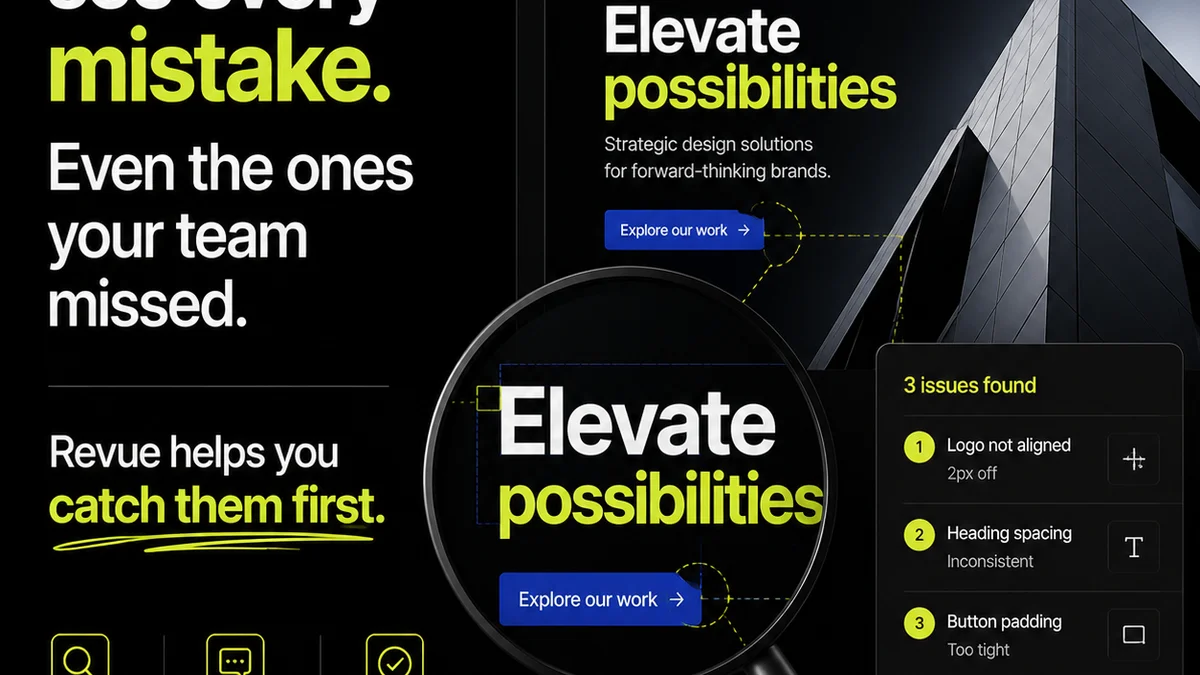
Quality Checks
Ensure that the final output aligns with the approved designs and client requirements. Revue helps maintain that crucial link between design intent and final delivery.
It’s about building a more efficient, transparent, and profitable UI/UX workflow.
5. Common UI/UX Pitfalls Agencies Face
Agencies often stumble in predictable ways. Recognizing these can save you time and money.
Scope Creep Masquerading as 'Minor Tweaks'
A client asks for a
Frequently asked questions
What's the main difference between UI and UX?
UI (User Interface) is the visual design and interactive elements users see and touch. UX (User Experience) is the overall feeling and effectiveness of the user's interaction with the product or service.
Why is UI/UX important for my agency?
Good UI/UX directly impacts business outcomes like conversion rates, customer retention, and reduced support costs. Poor UI/UX leads to lost sales, high bounce rates, and wasted resources.
How can I improve my agency's UI/UX process?
Focus on thorough discovery, iterative prototyping, robust user testing, and clear communication. Centralizing feedback and managing revisions effectively is also key.
Is UI/UX just about aesthetics?
No. While aesthetics (UI) are important, UX is about the entire user journey, functionality, and problem-solving. A beautiful interface that's hard to use provides a poor user experience.