Everyone talks about UX. They talk about user flows, wireframes, and mockups. They talk about usability testing and iterating based on feedback. And that’s all crucial.
But there’s a quiet hero in the product development process that often gets overlooked: Quality Assurance, specifically UX Quality Assurance. Many teams treat QA as a final gate, a box to tick before launch. They assume that if the design looks good and the developers built it to spec, the user experience will naturally be solid.
None of that is wrong. But it’s incomplete.
The hard truth is that a great user experience isn’t just *built*; it’s *verified*. And without a robust UX QA process, you’re leaving your user’s journey to chance. You're risking frustration, abandonment, and a brand that feels less polished than you intended.
1. What UX QA Really Means (And Why It's Not Just Bug Hunting)
UX Quality Assurance is the systematic process of evaluating a digital product’s user experience against established design principles, user needs, and business goals. It’s not just about finding visual glitches or broken buttons, though that’s part of it. It’s about ensuring the product is usable, accessible, desirable, and effective for its intended audience.
Think of it as the final polish before the product shines. It’s the last chance to catch those subtle issues that can derail an otherwise well-designed experience.
The Core Pillars of UX QA
- Usability: Is the product easy to learn and use? Can users achieve their goals efficiently and effectively?
- Accessibility: Can people with disabilities use the product? Does it adhere to standards like WCAG?
- Consistency: Does the UI behave predictably across different sections of the product? Are design patterns applied uniformly?
- Performance: Does the interface load quickly? Are interactions responsive?
- Content Clarity: Is the language clear, concise, and appropriate for the target audience? Are there any typos or grammatical errors?
- Error Prevention & Handling: Does the design help users avoid mistakes? When errors occur, are they communicated clearly and constructively?
This goes far beyond a standard functional QA pass. It requires a different mindset and a more comprehensive checklist.
2. Building Your UX QA Checklist: The Essential Components
A good UX QA checklist is your roadmap to a polished user experience. It should be tailored to your specific product, but here are the foundational elements every checklist needs.
a. Navigation and Information Architecture
This is about how users find their way around. If they get lost, they get frustrated.
- Are all navigation elements clearly labeled and intuitive?
- Is the primary navigation consistent across all pages/screens?
- Can users easily return to the homepage or previous states?
- Are breadcrumbs (if used) accurate and helpful?
- Is the search functionality effective and providing relevant results?
- Is the information architecture logical and easy to understand?
b. UI Elements and Interactions
This covers the building blocks of the interface and how users interact with them.
- Are buttons, links, and interactive elements clearly distinguishable and appropriately sized?
- Do interactive elements provide visual feedback on hover, focus, and click/tap states?
- Are form fields clearly labeled, with appropriate input types and validation?
- Are error messages clear, concise, and actionable?
- Are loading indicators present for actions that take time?
- Is content hierarchy clear through typography, spacing, and visual weight?
- Are icons universally understood or accompanied by labels?
c. Content and Copy
Words matter. Bad copy can kill good design.
- Is all microcopy (button labels, tooltips, error messages) clear, concise, and on-brand?
- Are there any typos, grammatical errors, or awkward phrasing?
- Is the tone of voice consistent with the brand?
- Is placeholder text appropriate and informative?
- Are dates, times, and other data formatted correctly for the target locale?
d. Responsiveness and Cross-Device Compatibility
Your product needs to look and work well everywhere.
- Does the layout adapt gracefully to different screen sizes (desktop, tablet, mobile)?
- Are touch targets large enough on mobile devices?
- Are there any horizontal scroll issues on smaller screens?
- Is content readable without excessive zooming on mobile?
- Do interactive elements function correctly across different browsers and devices?
e. Accessibility (A Critical Layer)
This isn't an add-on; it's fundamental to good UX.
- Does every image have appropriate alt text?
- Are color contrast ratios sufficient for readability (e.g., meeting WCAG AA standards)?
- Can the entire product be navigated and operated using only a keyboard?
- Are focus indicators clear and visible?
- Are form elements correctly associated with their labels?
- Is ARIA used appropriately to enhance screen reader experience where native HTML isn't sufficient?
This isn't exhaustive, but it’s a solid starting point for any UX QA checklist.
3. The Process: Integrating UX QA into Your Workflow
Simply having a checklist isn't enough. You need to integrate UX QA into your development lifecycle. Treating it as an afterthought is a recipe for disaster.
a. Early and Often: Design Reviews
Before a single line of code is written, the design itself should be reviewed through a UX QA lens. This means scrutinizing wireframes and mockups for potential usability issues, accessibility gaps, and inconsistencies.
This is the cheapest time to fix problems.
b. During Development: Iterative Testing
As features are built, QA should be testing them not just for functionality, but for the *experience*. This involves:
- Exploratory Testing: Testers go
Frequently asked questions
What is the difference between functional QA and UX QA?
Functional QA focuses on whether a feature works as specified (e.g., does the button click?). UX QA focuses on the *experience* of using that feature (e.g., is it intuitive, easy to find, and does it provide clear feedback?). UX QA ensures the product is usable, accessible, and desirable.
When should UX QA be performed?
Ideally, UX QA should be integrated throughout the entire product development lifecycle. This includes design reviews before development starts, iterative testing during development sprints, and a comprehensive final review before launch. Early detection is key.
How can I make my UX QA process more efficient?
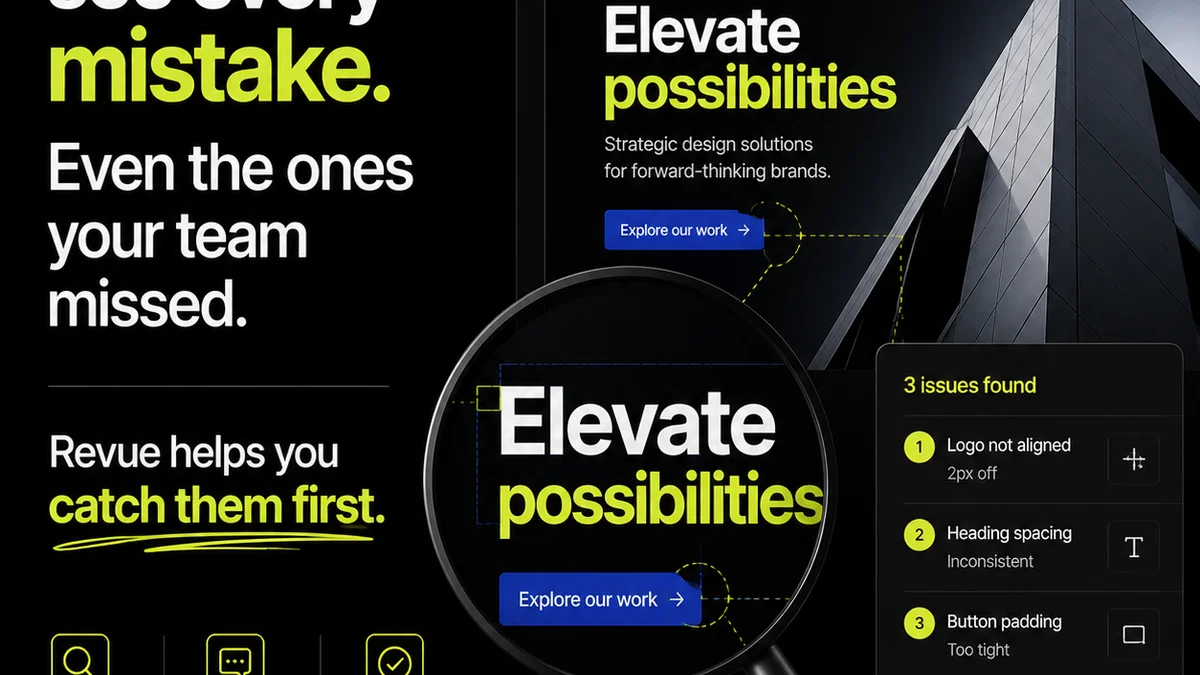
Leverage a centralized feedback and version control platform like Revue. This allows teams to track feedback, manage revisions, and ensure all stakeholders are working from the latest approved designs, streamlining the QA process and reducing miscommunication.
Is UX QA the same as usability testing?
No, though they are related. Usability testing involves observing real users interacting with a product to identify pain points. UX QA is a more structured evaluation performed by a QA team or designer against established criteria and checklists, often before or alongside usability testing.