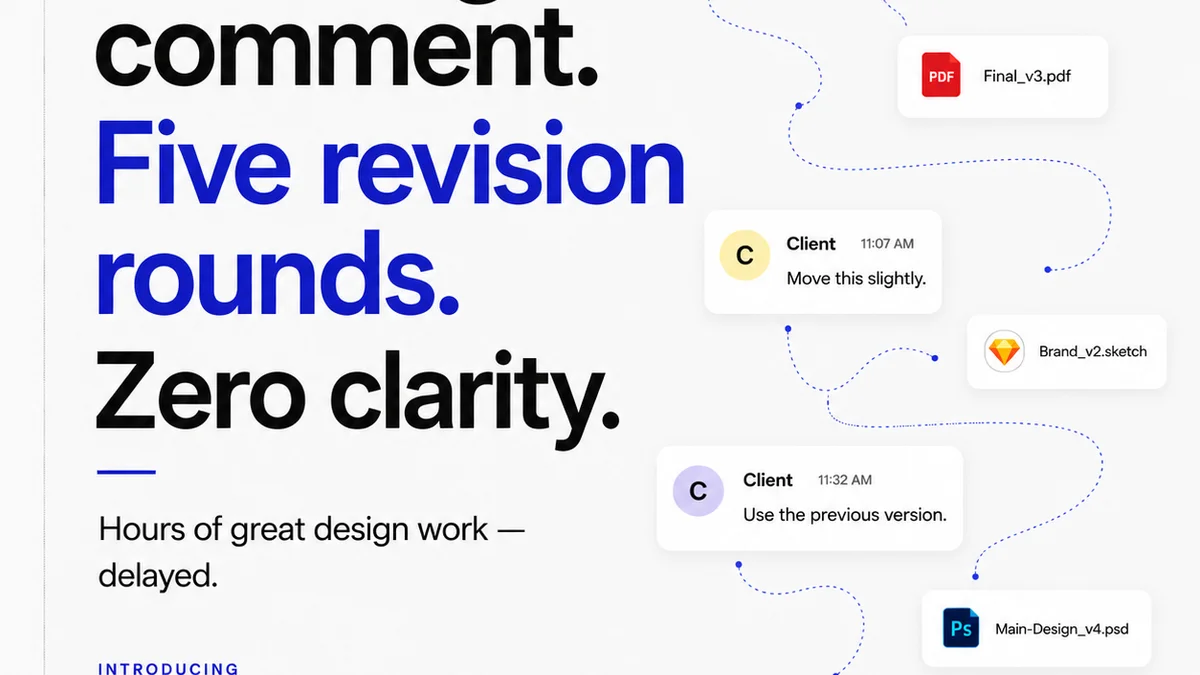
You think version control is just for developers. A niche tool for coders wrestling with lines of text. Maybe you use it for a few critical design files, but mostly, you rely on shared drives, email attachments, and the hope that everyone’s on the right page.
None of that is wrong. But it’s incomplete.
The hard truth? For enterprise creative teams, a lax approach to version control isn’t just inefficient; it’s a direct pipeline to costly errors, missed deadlines, and client frustration. It’s the silent killer of project momentum.
1. The "Latest" File Fallacy
The biggest culprit? The myth of the “latest” file. We all know the drill. Someone sends a link, someone else downloads it, makes changes, saves it as “_v2” or “_final_final.” Then another person does the same. Suddenly, you have a dozen versions of the same asset scattered across different folders, cloud drives, and inboxes.
Which one is *actually* the latest? Which one has the *final* client approval? Which one should be used for the campaign launch?
This ambiguity is a breeding ground for mistakes:
- Using outdated copy or imagery.
- Applying the wrong set of client revisions.
- Building final assets from a preliminary draft.
- Wasting hours searching for the correct file.
- Accidentally overwriting critical work.
This isn't just a minor annoyance; it's a fundamental breakdown in process. It directly impacts the accuracy and efficiency of your creative output.
2. Ignoring Non-Design Files
Version control is often mistakenly confined to the primary design files: PSDs, AI, SKETCH, FIGMA. But what about the supporting collateral?
Think about it:
- Copy decks and scripts.
- Spreadsheets with campaign parameters or media plans.
- Presentation decks outlining creative strategy.
- Even crucial documents like creative briefs or SOWs.
If these assets aren’t under some form of version control, you’re creating silos of truth. The design team might be working off the latest approved copy, but the marketing team is referencing an older brief. Or the legal team has a final disclaimer, but the design team is using an earlier version that doesn't include it.
This disconnect leads to fundamental errors that have nothing to do with the visual design itself but are just as damaging.
3. Treating Review as Archiving
Many teams use their feedback tools as a glorified archive. Someone uploads a PDF, stakeholders leave comments, and then… nothing. The comments are read, maybe acted upon, but the *history* of that feedback isn’t systematically linked to a specific, immutable version of the asset.
This means:
- You can’t easily trace *why* a design element is the way it is.
- You can’t roll back to a previous approved state if a new direction proves problematic.
- You lose the context of client conversations, making it hard to understand the evolution of the creative.
This isn’t version control; it’s just digital clutter. True version control links feedback, approvals, and specific asset states together. It creates an auditable trail.
4. Lack of Standardized Naming and Tagging
Even with a robust system, poor habits can undermine it. A common mistake is inconsistent naming conventions and a lack of clear tagging for files.
If your files are named things like:
- “Logo_Final.ai”
- “Logo_Final_REVISED.ai”
- “Logo_FINAL_FINAL_USE_THIS_ONE.ai”
You haven’t solved anything. You’ve just added more confusion.
A standardized system might look like:
[ClientName]_[ProjectName]_[AssetType]_[VersionNumber]_[Status].extExample:AcmeCorp_Q3Campaign_SocialAd_v3_Approved.jpg
Similarly, using tags to denote:
- Status (Draft, In Review, Approved, Rejected)
- Stage (Concept, Production, Final)
- Deliverable Type (Web, Print, Social)
makes finding and managing assets infinitely easier. Without this, even the best version control software becomes unwieldy.
5. Not Integrating with Workflow Tools
The biggest operational drain for enterprise creative teams is the disconnect between different tools. You have your design software, your project management tool, your client communication platform, and your feedback tool. If version control is an isolated island, it creates friction.
When version control isn’t integrated, you see:
- Manual uploading and downloading of files between systems.
- Repetitive data entry for version history or status updates.
- Missed notifications about file changes or approvals.
- A fragmented view of project progress.
This friction slows down the entire creative lifecycle. It forces your team to context-switch constantly, reducing focus and increasing the chance of error.
Where Revue Fits In
This is where a centralized platform like Revue becomes critical for enterprise creative teams. It’s not just about collecting feedback; it’s about building a traceable, manageable workflow.
Revue provides a single source of truth for creative assets and their evolution. It connects client feedback directly to specific versions of a design, making the review and approval process transparent and auditable. Instead of scattered files and ambiguous
Frequently asked questions
What is version control for creative teams?
Version control for creative teams is a system for managing changes to digital assets over time. It allows teams to track revisions, revert to previous states, and maintain a clear history of work, ensuring everyone is using the correct and most up-to-date files.
Why is version control important for enterprise clients?
For enterprise clients, version control ensures accuracy, reduces errors, speeds up approval cycles, and provides an auditable trail of revisions and feedback. This professionalism builds trust and minimizes costly mistakes.
Can version control be used for non-design files?
Absolutely. Version control should ideally extend to all critical project documents, including copy decks, briefs, spreadsheets, and presentations, to maintain consistency and prevent outdated information from being used.
How does feedback relate to version control?
Feedback is intrinsically linked to version control. A robust system ensures that feedback is tied to a specific version of an asset, allowing for clear understanding of changes, context, and approval history.