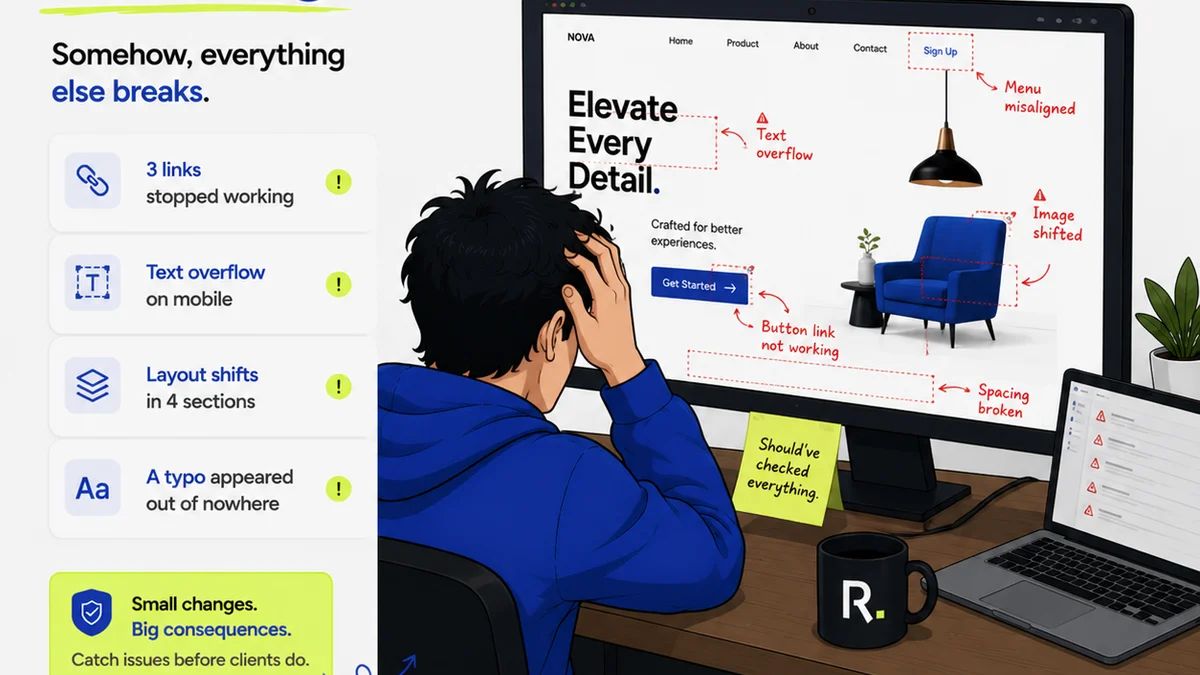
You probably think Design Quality Assurance, or QA, is about spotting spelling errors, checking image resolution, and making sure buttons link correctly. None of that is wrong. But it’s incomplete.
The real truth? Design QA is the final line of defense for your agency’s reputation and your client’s business. It’s not a checkbox; it’s a strategic imperative.
1. The Common Misconception: QA is Just Proofreading
Many agencies treat Design QA as an afterthought. It’s often the last task someone remembers to do before launch, usually by the junior designer or the project manager who’s already swamped.
This approach treats QA as a purely tactical, almost administrative function. It’s seen as a way to catch surface-level mistakes, not as a critical part of the creative and strategic process.
This mindset fundamentally misunderstands the purpose of QA.
The Hard Truth: QA is Strategic Risk Management
Design QA is about ensuring the final delivered product not only meets technical specifications but also aligns with the strategic goals, brand guidelines, and user experience objectives established at the project’s outset.
It’s about validating that the creative solution works as intended, serves the client’s business objectives, and reflects positively on the agency’s craftsmanship.
When done poorly, QA failures can lead to:
- Reputational damage
- Lost client trust
- Costly rework
- Missed business opportunities for the client
- Legal liabilities (in some cases)
2. Beyond the Pixels: What Design QA Actually Entails
Design QA goes far beyond a simple checklist of grammatical errors and broken links. It’s a multi-faceted process that examines the creative output from various angles.
Functionality Testing
This is the most obvious part. Does everything work? Are all interactive elements responsive? Do forms submit correctly? Do animations play as intended?
This isn’t just about whether a button *looks* right; it’s about whether it *functions* right under various conditions.
Usability and User Experience (UX) Review
Does the design facilitate a smooth and intuitive user journey? Is the navigation clear? Is the content easy to consume?
QA here looks at the design through the eyes of the end-user. It asks: Is this easy and pleasant to use?
Brand Consistency Check
Does the final output adhere strictly to the client’s brand guidelines? This includes:
- Color palettes
- Typography
- Logo usage
- Tone of voice (if copy is included)
- Imagery style
Inconsistency here can dilute brand impact and confuse customers.
Content Accuracy and Completeness
Is all placeholder text (lorem ipsum) replaced? Is the final copy accurate, free of typos and grammatical errors? Is all required information present?
This is where traditional proofreading fits in, but it’s only one piece of the puzzle.
Performance and Technical Standards
For digital products, this means checking loading speeds, responsiveness across different devices and browsers, and adherence to accessibility standards (WCAG).
For print, it might involve checking bleed, trim, color modes (CMYK vs. RGB), and file formats.
Strategic Alignment Validation
This is the highest level of QA. Does the final design effectively meet the original project brief and strategic objectives? Does it solve the client’s problem?
For example, if the goal was to increase conversions, does the design subtly encourage that action? If the goal was to convey trust, does it feel trustworthy?
3. The Cost of Skipping or Skimping on Design QA
Agencies often cut corners on QA to save time or money, especially under tight deadlines. This is a false economy.
The cost of fixing errors *after* launch is exponentially higher than catching them during the QA process.
Consider the ripple effect:
- Development Rework: Developers have to go back and fix issues, which takes them away from new tasks.
- Client Dissatisfaction: A buggy or inconsistent product erodes client confidence.
- Brand Damage: A poorly executed project reflects badly on the agency.
- Lost Revenue: For the client, errors can mean lost sales or engagement.
- Reputational Harm: Word gets around. Clients choose agencies they can trust to deliver polished work.
It’s simple: a small investment in thorough QA saves significant costs and headaches down the line.
4. Implementing Effective Design QA Processes
Effective QA isn’t about having a single person responsible; it’s about building quality into your workflow. It requires a systematic approach.
Establish Clear QA Criteria
Before any project begins, define what “done” and “high quality” look like. This should be documented and agreed upon by the team and, where appropriate, the client.
What are the key success metrics? What are the non-negotiables?
Integrate QA Throughout the Workflow, Not Just at the End
Quality checks shouldn’t be a last-minute scramble. They should happen at key milestones:
- During Design: Designers should self-review against brief and brand guidelines.
- After Design Handoff: A dedicated QA pass before development begins.
- During Development: Regular checks by a QA specialist or PM to catch issues early.
- Pre-Launch: A final, comprehensive review.
Use Checklists and Templates
Standardized checklists ensure consistency and prevent overlooking critical elements. Tailor these to project types (e.g., website, app, social campaign).
Define Roles and Responsibilities
Who is responsible for what type of QA? Is it the designer, the project manager, a dedicated QA tester, or a combination?
Clarity here prevents tasks from falling through the cracks.
Leverage Technology
Tools can automate parts of the QA process and streamline feedback and bug tracking. This is where centralized platforms become invaluable.
Foster a Quality-Minded Culture
Encourage everyone on the team to take ownership of quality. Make it clear that attention to detail is valued and rewarded.
This isn’t just the QA person’s job. It’s everyone’s job.
Where Revue Fits In
Managing feedback and revisions across multiple stakeholders can quickly become chaotic. This chaos is a breeding ground for errors and missed details.
Revue is built to bring order to that chaos. It centralizes client feedback, making it clear what needs to be addressed and by whom. This visibility is crucial for effective QA.
When feedback is consolidated and tracked within Revue:
- Miscommunication is Reduced: No more hunting through endless email threads or Slack messages for that one crucial comment.
- Revision History is Clear: You can easily see what changes were made, why, and who approved them. This traceability is vital for auditing and quality control.
- Approval Status is Transparent: Everyone knows exactly where a design stands – whether it’s in review, awaiting feedback, or approved. This prevents accidental launches of unapproved work.
- Quality Checks are Streamlined: With all feedback and revisions in one place, your QA team (or whoever is performing QA) has a single source of truth to verify against. They can quickly confirm that all required changes have been implemented correctly and that no new issues have been introduced.
By providing a structured environment for feedback and approvals, Revue empowers creative teams to perform more rigorous and efficient design QA, ultimately protecting the quality of their output and their client relationships.
Final Thought
Is your agency’s Design QA process a robust quality gate, or just a last-minute scramble to catch typos?
The difference isn’t just about aesthetics; it’s about operational excellence and protecting the value you deliver.
Frequently asked questions
What's the difference between design QA and proofreading?
Proofreading focuses solely on text-based errors like typos and grammar. Design QA is a broader process that includes proofreading but also checks functionality, usability, brand consistency, technical standards, and strategic alignment of the entire design output.
Who should be responsible for design QA?
Ideally, quality is a team effort. While a dedicated QA specialist or project manager often leads the process, designers should perform self-reviews, and all team members should foster a quality-minded culture. Clear roles and responsibilities should be defined for each project.
How can I make my design QA process more efficient?
Efficiency comes from integrating QA throughout the workflow, not just at the end. Use standardized checklists, leverage technology for feedback and bug tracking, and ensure clear communication channels. Centralizing feedback, like with Revue, can dramatically streamline the process.
What are the consequences of poor design QA?
Poor design QA can lead to significant issues including costly rework, client dissatisfaction, reputational damage for the agency, missed business opportunities for the client, and potential legal liabilities. It erodes trust and undermines the value of the creative work.