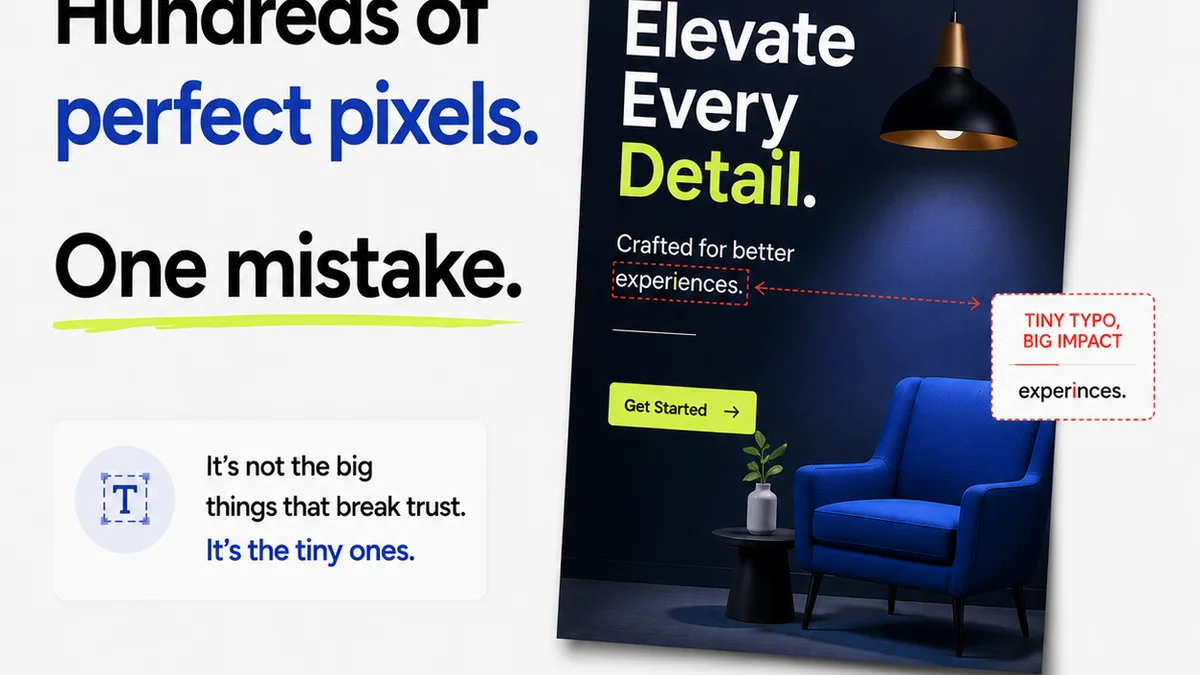
Everyone thinks they know what design quality assurance (QA) is. It’s the final check before launch, right? The pixel-perfect polish. The hunt for stray commas and misaligned buttons.
None of that is wrong. But it’s incomplete.
For enterprise teams, design QA is a far more complex, strategic beast. It’s not just about catching errors; it’s about embedding quality into the entire creative lifecycle, mitigating risk, and ensuring brand integrity at scale.
1. The Hard Truth: Design QA is Risk Management
Think of design QA as your brand’s immune system. It’s not just about making things look good; it’s about preventing systemic failures. A poorly executed design can lead to:
- Brand dilution
- User frustration and churn
- Compliance violations
- Wasted development resources
- Damaged reputation
For large organizations, the stakes are exponentially higher. A single misstep can ripple across multiple product lines, global markets, and customer touchpoints. Design QA, done right, is proactive risk mitigation.
2. Beyond Aesthetics: The Pillars of Enterprise Design QA
Enterprise design QA needs to be comprehensive. It’s not just about visual fidelity. It encompasses several critical dimensions:
Brand Consistency
Does the design align with established brand guidelines? This includes:
- Logo usage
- Color palettes
- Typography
- Tone of voice
- Imagery style
This isn't about stifling creativity; it's about ensuring a unified brand experience across all touchpoints. Inconsistency erodes trust and recognition.
Usability and User Experience (UX)
Does the design make sense to the end-user? This involves:
- Intuitive navigation
- Clear calls to action
- Accessibility standards (WCAG)
- Performance considerations (loading times, responsiveness)
- Error prevention and handling
A beautiful design that’s hard to use is a failed design. QA must validate the user journey.
Technical Accuracy
Does the design translate correctly into development? This covers:
- Correct asset dimensions and formats
- Accurate spacing and alignment
- Appropriate use of interactive elements
- Cross-browser and cross-device compatibility
- Adherence to platform conventions (e.g., Apple HIG, Material Design)
This is where designers and developers must be in lockstep. QA bridges that gap.
Compliance and Legal
Does the design meet all relevant legal and regulatory requirements?
- Data privacy regulations (GDPR, CCPA)
- Accessibility laws
- Industry-specific standards
- Legal disclaimers and disclosures
Ignorance here is not bliss. It’s a lawsuit waiting to happen.
Content Integrity
Is the content accurate, error-free, and appropriate?
- Grammar and spelling
- Factual accuracy
- Appropriate tone and messaging
- Placeholder text removal
This often falls to copyeditors, but design QA ensures it’s integrated and presented correctly within the visual context.
3. The Process Problem: Why Checklists Aren't Enough
Many teams rely on static checklists. They’re a starting point, but they quickly become inadequate for complex enterprise projects.
Why?
- Static Nature: They don’t adapt to project specifics or evolving requirements.
- Siloed Execution: Often completed by a single person or team, missing broader perspectives.
- Lack of Context: A checklist item might be technically correct but contextually wrong for the user or business goal.
- Manual Burden: Ticking boxes is time-consuming and prone to human error.
- No Feedback Loop: Checklists rarely facilitate constructive dialogue or learning.
The real challenge isn't *what* to check, but *how* to integrate the checking process seamlessly and effectively.
4. Building a Robust Design QA Framework
A true enterprise design QA framework is built on integration, collaboration, and continuous improvement.
Define Clear Standards
Start with a comprehensive set of design guidelines and QA criteria. This should be a living document, updated as your brand and products evolve. Reference established principles like those from the Nielsen Norman Group for usability.
Integrate Early and Often
QA shouldn't be an afterthought. Embed checks at key milestones:
- Concept review
- Wireframe approval
- High-fidelity mock-up validation
- Prototype testing
- Pre-production review
The earlier an issue is caught, the cheaper and easier it is to fix.
Foster Cross-Functional Collaboration
Design QA is a team sport. Involve:
- Designers
- Developers
- Product Managers
- Marketing
- Legal/Compliance
- QA Testers (dedicated)
Each brings a unique perspective to identify potential issues.
Leverage Technology
Tools can automate checks, centralize feedback, and streamline the process. Think beyond spreadsheets:
- Design systems ensure component consistency.
- Prototyping tools allow for interactive testing.
- Dedicated feedback platforms provide structured review.
- Automated accessibility checkers can catch basic violations.
Establish a Feedback Loop
QA findings should inform future work. Regularly review common issues and update guidelines, training, or processes to prevent recurrence.
5. Where Revue Fits In
Managing design feedback and revisions across large, distributed enterprise teams is a significant challenge. This is where a platform like Revue becomes essential for effective design QA.
Revue provides a centralized hub for all creative assets and client feedback. Instead of scattered emails, endless Slack threads, or confusing spreadsheets, you get:
- Centralized Feedback: All comments, annotations, and approvals live directly on the creative asset. No more searching for that one crucial email.
- Version Control and Revision Visibility: Easily track changes, compare versions, and understand the history of revisions. This clarity is vital for QA to verify that feedback has been implemented correctly.
- Structured Workflows: Define clear steps for review, approval, and QA checks. Ensure that every piece of creative goes through the necessary quality gates before release.
- Streamlined Communication: Reduce misinterpretations and back-and-forth by having all communication tied to the specific element being reviewed.
By bringing structure and clarity to the feedback and revision process, Revue empowers enterprise teams to execute design QA more efficiently and effectively, ensuring that quality is built-in, not bolted on.
6. Common Pitfalls to Avoid
Even with a framework, enterprise teams stumble. Watch out for:
- Over-reliance on Automation: Tools are great, but they can't replace human judgment, especially for subjective elements like brand voice or nuanced UX.
- Vague Requirements: If the initial brief or design goals are unclear, QA becomes a guessing game.
Frequently asked questions
What's the difference between design QA and user acceptance testing (UAT)?
Design QA focuses on ensuring the design meets internal standards for brand, usability, technical accuracy, and compliance *before* it reaches end-users. UAT is performed by end-users to confirm the product meets their needs and functions as expected in real-world scenarios. Design QA is a prerequisite for effective UAT.
How can small design teams implement robust design QA?
Small teams can start by creating a concise, project-specific checklist based on core brand and UX principles. Integrate peer reviews into the workflow, establish clear communication channels for feedback, and prioritize testing on key user flows and critical components. Leverage free or low-cost tools for feedback collection.
Who is responsible for design QA in an enterprise setting?
Responsibility is typically shared. Designers conduct self-reviews and peer reviews. Dedicated QA specialists may handle technical and functional checks. Product managers oversee alignment with business goals. Legal and compliance teams review for regulatory adherence. Ultimately, the creative or product lead owns the overall quality.
How does design QA impact project timelines and budgets?
While it requires upfront investment, effective design QA reduces costly rework later in the development cycle. Catching issues early saves significant time and money compared to fixing them post-launch. It prevents budget overruns caused by scope creep due to late-stage critical fixes.