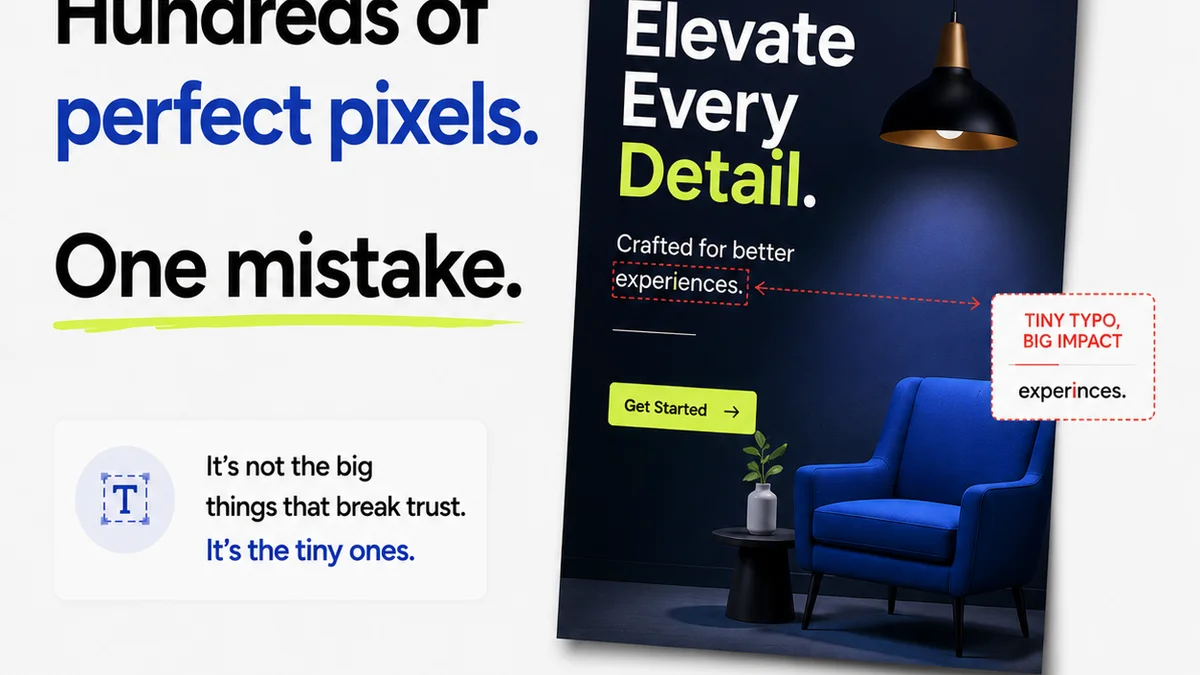
Everyone thinks UI/UX design is about making things look pretty. Or maybe it’s about user flows and wireframes. None of that is wrong. But it’s incomplete.
The deeper truth? Great UI/UX design is about clarity, efficiency, and building trust. It’s about making complex digital experiences feel effortless.
1. Visual Hierarchy: Guiding the Eye (Without a Map)
Your design needs to tell a story. The most important elements should grab attention first. Less important elements should recede.
This isn't about making big things stand out and small things disappear. It's about a deliberate orchestration of size, color, contrast, and placement.
Size Matters (But Not How You Think
Larger elements naturally draw the eye. But don't just make buttons huge. Use size to signal importance relative to other elements on the page.
Color and Contrast: The Spotlight Effect
Bold colors and high contrast create focal points. Use them strategically for calls to action or critical information. Don't use them everywhere, or nothing will be important.
Whitespace: The Art of Breathing Room
Often mistaken for 'empty space,' whitespace (or negative space) is a powerful design tool. It separates elements, improves readability, and reduces cognitive load.
Think of it as the silence between musical notes. It gives shape and meaning to what's around it.
- Too little whitespace makes a design feel cluttered and overwhelming.
- Too much can make it feel disconnected or sparse.
- The right balance creates a sense of calm and focus.
2. Consistency: The Unspoken Promise
Users expect certain things to behave in predictable ways. A button should look like a button. A link should act like a link. This predictability builds trust.
Consistency isn't just about making elements look the same. It's about making them *behave* the same across your entire product or website.
Internal Consistency
This is about your own brand. All buttons, forms, navigation, and content blocks should follow the same style guide. Every interaction should feel familiar.
External Consistency
Leverage established design patterns. Users are already familiar with how common UI elements work on other sites. Don't reinvent the wheel unless you have a very good reason.
- Consistent navigation helps users find their way around.
- Consistent error messages manage user expectations.
- Consistent branding reinforces identity.
3. Typography: More Than Just Words
Typography is the voice of your design. It's not just about picking a font. It's about how text is presented to be read easily and effectively.
Readability vs. Legibility
Readability is how easy it is to read a large block of text. Legibility is how easily you can distinguish one letter from another.
Both are crucial. A beautiful font that's hard to read is useless.
Font Pairing
Combining two or three fonts can add depth. But it's a minefield. Stick to complementary families. Sans-serif for headings and serif for body text is a classic for a reason.
Hierarchy in Text
Use font size, weight, and color to create a clear hierarchy within your text. Headings, subheadings, body copy, captions – they all need to be distinct.
- Line height (leading) impacts readability significantly.
- Letter spacing (kerning) affects visual appeal and clarity.
- Measure length (characters per line) should be optimized for the medium.
4. Color Theory: Setting the Mood
Color evokes emotion and guides perception. It's a powerful tool, but also one that can easily be misused.
Meaning and Emotion
Understand the psychological impact of colors. Blue often conveys trust and calm, while red can signal urgency or danger.
Align your color choices with your brand's personality and the user's goal.
Contrast for Accessibility
This is non-negotiable. Ensure sufficient contrast between text and background colors. This is vital for users with visual impairments.
Tools like the Web Content Accessibility Guidelines (WCAG) offer specific contrast ratio recommendations.
Color Palettes
Develop a cohesive color palette. Limit the number of primary and secondary colors. Use accent colors sparingly for calls to action.
- Monochromatic palettes are safe but can lack dynamism.
- Complementary palettes offer high contrast but can be jarring if overused.
- Analogous palettes create harmony but might need an accent for emphasis.
5. Responsive Design: One Site, Many Screens
Your design needs to work everywhere. On a desktop, a tablet, a phone. Users access content on an ever-growing range of devices.
Responsive design ensures a seamless experience regardless of screen size or orientation.
Mobile-First Approach
Start designing for the smallest screen first. Then progressively enhance for larger screens. This forces you to prioritize content and functionality.
Fluid Grids
Use flexible grid systems that can adapt to different screen widths. Avoid fixed-width layouts that break on smaller screens.
Flexible Images and Media
Images and videos should scale proportionally. Use techniques that load appropriate image sizes based on the user's device and bandwidth.
- Test on real devices whenever possible.
- Emulators are good, but they don't always capture real-world performance.
- Consider touch targets for mobile interactions.
6. User Control and Freedom: The Undo Button Principle
Users make mistakes. It's a fact of digital life. They need an easy way out.
Provide clear
Frequently asked questions
What is the most important UI/UX design principle for beginners?
While all principles are important, understanding visual hierarchy is often the most impactful for beginners. It dictates how users perceive information and guides their attention, directly influencing usability.
How can I practice UI/UX design principles without clients?
Redesign existing websites or apps you find problematic. Create personal projects, participate in design challenges, or contribute to open-source projects. Focus on applying a specific principle to each exercise.
What is the role of accessibility in UI/UX design?
Accessibility ensures that your designs are usable by everyone, including people with disabilities. This involves considerations like color contrast, keyboard navigation, and clear labeling, making your designs more inclusive and often more robust for all users.
How does Figma help with UI/UX design principles?
Figma is a powerful tool that facilitates the application of UI/UX principles. Its features for component creation, prototyping, and collaboration help maintain consistency, test user flows, and ensure responsive layouts. It’s an environment where you can actively implement and iterate on these principles.